
Adobe InDesign 2026
Standout layouts. Only with InDesign. InDesign is the industry-leading layout and page design software for print and digital media.
Information
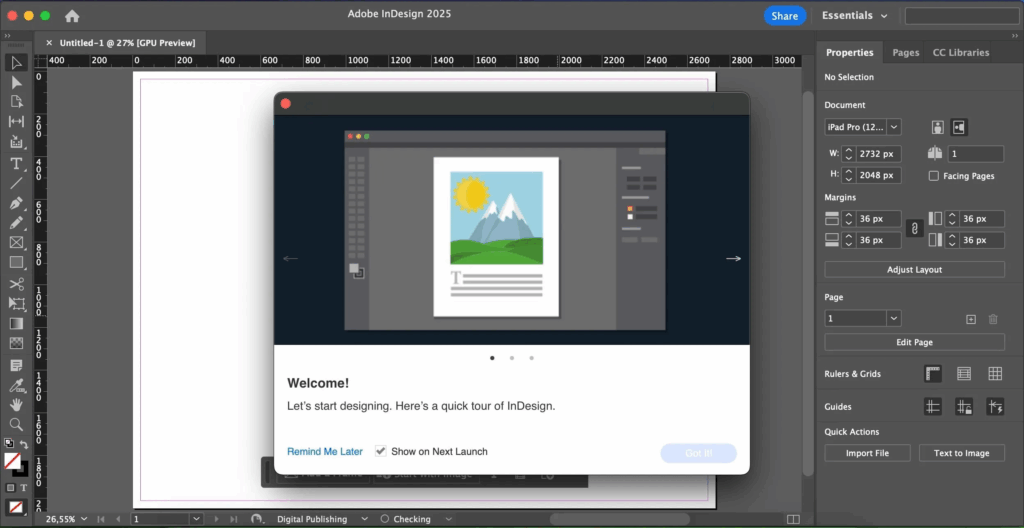
Description
Adobe InDesign 2026 standout layouts. Only with InDesign.
InDesign is the industry-leading layout and page design software for print and digital media. Create beautiful graphic designs with typography from the world?s top foundries and imagery from Adobe Stock. Quickly share content and feedback in PDF. Easily manage production with Adobe Experience Manager. InDesign has everything you need to create and publish books, digital magazines, eBooks, posters, interactive PDFs, and more.
Adobe InDesign 2026 Make an impression in print.
Design everything from stationery, flyers, and posters to brochures, annual reports, magazines, and books. With professional layout and typesetting tools, you can create multicolumn pages that feature stylish typography and rich graphics, images, and tables.
Adobe InDesign 2026 Digital publications. Dazzling interactions.
Create digital magazines, eBooks, and interactive online documents that draw people in with audio, video, slideshows, and animations. InDesign makes it easy to manage your design elements and quickly deliver immersive experiences in any format.
Adobe InDesign 2026 Keep your team on the same page.
Design faster and smarter with tools built for collaboration. Make changes quickly with Paragraph, Character, or Object Styles. Share feedback and edits from PDFs. InDesign integrates with Creative Cloud and Adobe Experience Manager, so you can share content, fonts, and graphics across all your projects.
See what new can do.
InDesign is always getting better, with new features rolling out regularly. And with your Creative Cloud membership, you get them as soon as we release them. Here are some of the latest updates.
Peak performance
Our latest upgrades include faster launch times and performance improvements.
Adobe Experience Manager integration
Keep your content up to date and share assets across all your projects using Adobe Experience Manager.
SVG import
Import SVG files into your InDesign projects to create interactive graphics and animations.
Variable fonts
Design with variable fonts . customizable typefaces that compact multiple fonts into a single file.
Activation Notes:
Use Adobe Activation Tool to activate.
Big thanks to GHQ for the installers.
I keep getting the message “InjectLib” is damaged and can’t be opened. You should eject the disk image.”
Same problem, if anyone has any solutions.
How do I actually install adobe indesign and properly use it? are there any files I need to modify or something