Amadine – Vector Design & Art
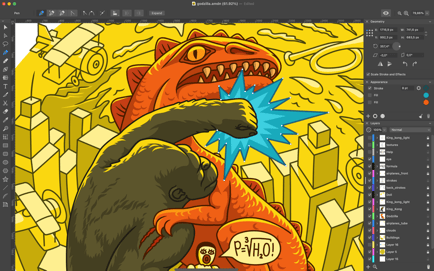
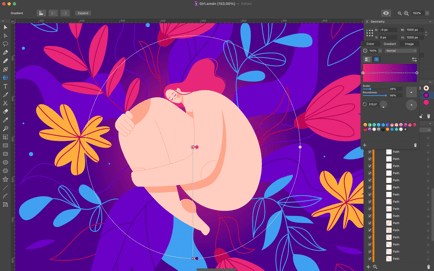
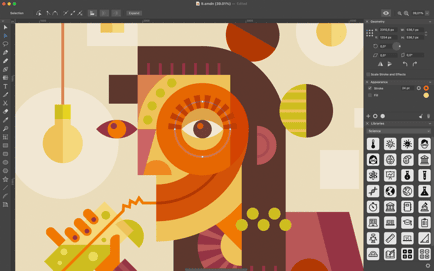
Amadine is an intuitive vector drawing and illustration app. With a clean and simple UI, it's perfect for beginners, but capable enough for professionals. Use it to create illustrations, logos, icons, UI designs, art and more.
Information
Description
Graphic Design Illustrator
Amadine is an intuitive vector drawing and illustration app. With a clean and simple UI, it’s perfect for beginners, but capable enough for professionals. Use it to create illustrations, logos, icons, UI designs, art and more. A mobile version, that supports Apple Pencil and works on iPad and iPhone, is also available.
Workflow
• Customize UI with attached or detached panels mode.
• Store multiple artworks in one document.
• Create multiple layers and sublayers.
• Different layer blending modes.
• View options: pixel/retina preview, outline, guides, grid and rulers.
• Export the entire document, a sheet or a selection JPEG, TIFF, PNG, PDF and SVG.
• Touch Bar and QuickLook supported.
Advanced Drawing
• Use more than 30 vector design tools for selecting, drawing, editing, slicing and typing.
• Add multiple strokes and fills, create unique stroke profiles using the Width tool.
• Perform union, subtract, intersect and exclude operations on selected objects.
• Write text along a path or inside a shape.
• Create vector art using pressure sensitive tablets.
• Draw illustrations with responsive and natural brushes.
Path Editing
• Create paths using the Path and Draw tools.
• Add, remove and arrange the anchor points.
• Convert points to corner points and smooth points.
• Edit paths and shapes that they form using the Knife, Scissors and Eraser tools.
Download
No comments yet. Be the first to share your thoughts!
Comments & Reviews