Applight – Smart App Switcher
Instead of endless Command-Tabs or Spotlight searches, Applight learns your workflow and predicts what you’ll need next.
Information
Description
Instead of endless Command-Tabs or Spotlight searches, Applight learns your workflow and predicts what you’ll need next—so you can jump to the right app with just a key press or two.
Why Applight?
Switching apps is something we do hundreds of times a day. But the built-in tools slow you down:
• Dock → cluttered and click-heavy.
• Command-Tab → fine for 1–2 recent apps, but cumbersome beyond that.
• Spotlight → requires multiple steps: activate, search, hit enter.
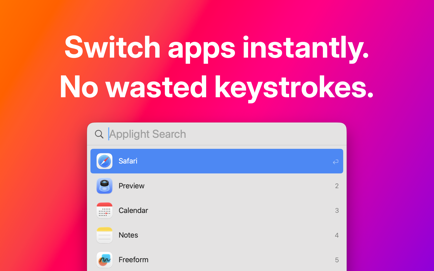
Applight eliminates the friction. It learns your app-switching habits and context, so the app you need is always just a keystroke away.
Key Features
• One key press = back to your previous app.
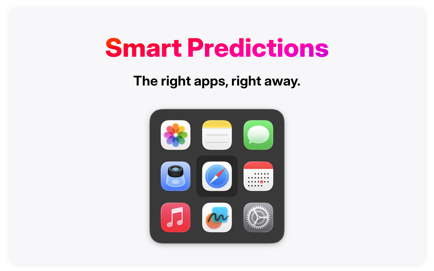
• Smart predictions: relevant apps appear instantly when you press your chosen modifier key.
• Zero-friction launch: just release the key to open the app—no Enter required.
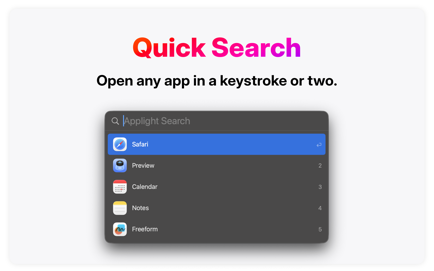
• Quick search: type a letter or two, or press a number key to select instantly.
• Mouse-friendly switching: pick suggestions with your cursor if you prefer.
• Personalized to you: Applight adapts to your unique workflow.
What users say
“No more Command-Tabbing like a mad man.” — Sridhar Katakam on X
“I can’t imagine working on a Mac without Applight anymore.” — wizardeur, Polish App Store
“Must-have in my daily workflow! It adapts to my usage and just works.” — Gabrieles02, Polish App Store
“Simplifies app switching a lot, and the developer really cares about user experience.” — MAX PWRS, Australian App Store
Try Applight for free! Unlock the frictionless app switching experience with a lifetime license or subscription.
_______
Terms of Use: https://www.apple.com/legal/internet-services/itunes/dev/stdeula
Download
No comments yet. Be the first to share your thoughts!
Comments & Reviews