
Beamer
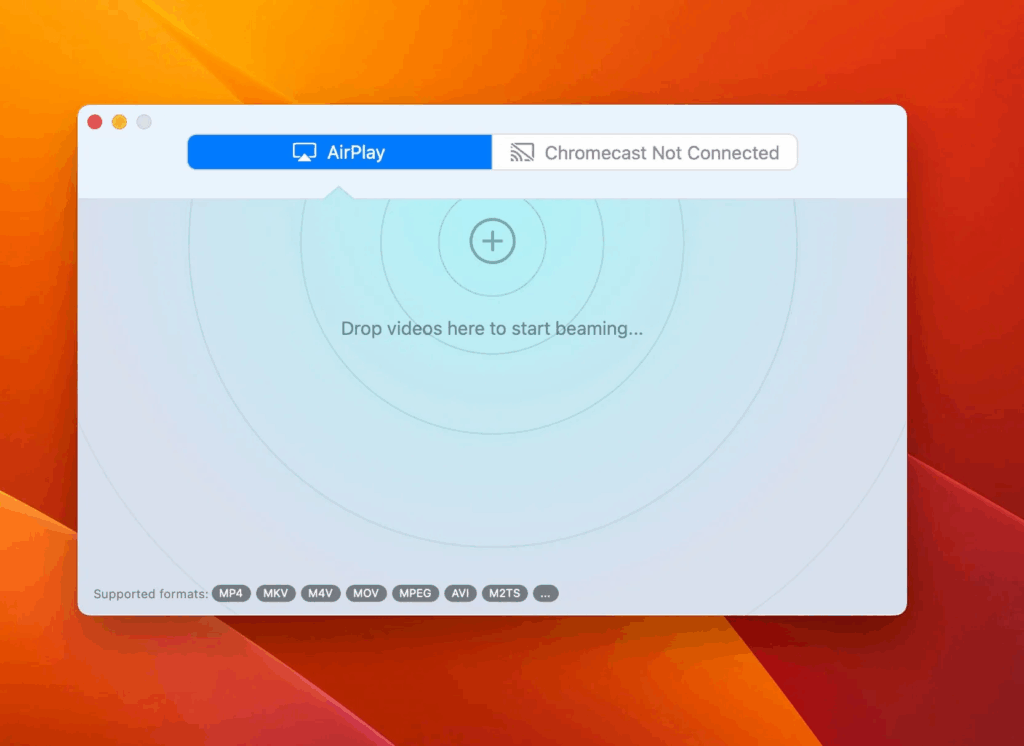
Stream Videos from Your Mac Effortlessly Stream your favorite videos from your Mac directly to Apple TV, Chromecast, and more with Beamer 4.
Information
Version
4.3.7
Size
20 MB
Category
Photo & Video
Requirements
macOS 10.15 or later
Updated
September 28, 2026
Mac
Description
Stream Videos from Your Mac Effortlessly Stream your favorite videos from your Mac directly to Apple TV, Chromecast, and more with Beamer 4.
Drag your video files onto Beamer 4, and start watching on your TV immediately. Beamer handles all the conversion and streaming for you, so you can sit back and enjoy.
- Plays any movie file – Just like the popular desktop movie players, accepts all common formats, codecs and resolutions. AVI, MKV, MOV, MP4, WMV, FLV. To Beamer, it’s all the same.
- High quality image and sound – Unlike Screen Mirroring, is specifically optimized for video playback at the highest quality and supports 5.1 surround sound. No glitches, clicks, pops or other shenanigans. The video looks just as good as it would on your desktop.
- Easy Subtitles – automatically detects embedded subtitles and associated subtitle files. If possible, subtitles will be selected automatically based on your Apple TV’s Subtitle Language preference.
- Remote Control – You can pause, fast-forward and rewind the movie using the Apple TV remote. No need to get up from the couch!
- Start now, finish later – Beamer remembers what you have watched and at what point in the video you stopped watching. When you return to Beamer, everything is exactly where you left it. Just press play and continue watching.
- Or keep on watching – You can queue up a bunch of videos in to watch in succession. Perfect for planning a care-free TV night when you don’t even want to leave the couch. Popcorn not included!
- tvOS 16 & AirPlay 2 Support – 4 is fully compatible with the latest Apple TV devices, tvOS 16, and AirPlay 2 for seamless, high-quality streaming.
Download
Previous Versions:
No comments yet. Be the first to share your thoughts!
Comments & Reviews