CleanShot X
CleanShot X is the ultimate screen recording app designed for macOS. CleanShot has a rich toolkit that actually feels like six apps in one.
Information
Description
CleanShot X Capture your Mac’s screen like a pro.
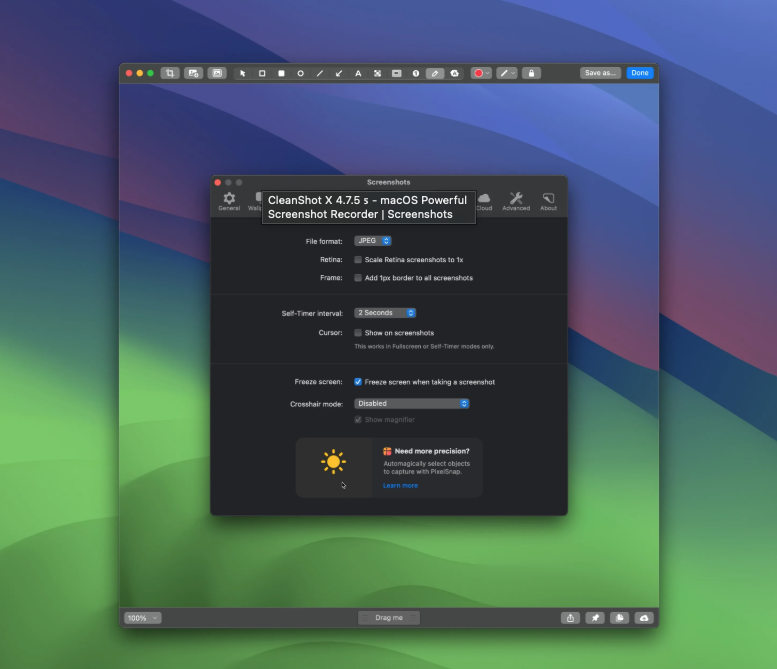
CleanShot X is the ultimate screen recording app designed for macOS. CleanShot has a rich toolkit that actually feels like six apps in one. You can use it to quickly capture your Mac’s screen, excluding desktop icons, record and crop videos, annotate, save screenshots to private cloud, etc.
Features of CleanShot X include the CleanShot Cloud, which instantly saves your screen captures to the CleanShot Cloud that is integrated with the app. CleanShot can also hide your desktop icons, allowing you to instantly capture your Mac’s screen without cleaning up.
CleanShot X Annotate
With the built-in editor, you can highlight or hide specific parts of your screenshots, or add necessary annotations. CleanShot provides astonishingly wide range of tools, so you can do whatever you want with your screenshots. The interface is simple, with great, native performance.
- Native macOS look and feel
- Modern interface with perfect UX
- Great performance
- Many sharing options
- “Drag me” button
- Dark and Light mode support
Tools
- Crop tool — with an option to specify aspect ratio and snapping to edges
- Arrow — 4 styles, including curved
- Rectangle
- Filled rectangle
- Ellipse
- Line
- Pixelate — with applied randomization for better security
- Blur — with secure and smooth options
- Spotlight — emphasise what’s important
- Counter — provide step marks for tutorials
- Pencil — with auto-smoothing feature for more pleasant looking drawings
- Highlighter — highlight a text the way you do it in books
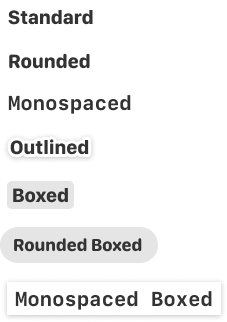
- Text tool — 7 predefined styles included:
Background tool
Create beautiful social media posts with our Background tool. In just a few clicks, you can add a background to your screenshot, adjust padding, alignment, aspect ratio and your screenshot is ready to be shared! The Auto Balance option will make your screenshot look perfectly aligned by adjusting the space around the content of your screenshot.
- 10 beautiful backgrounds included
- Add your own background
- Various alignment options
- Magical Auto Balance option
- Change aspect ratio
- Highly customizable
Notes:
You may need to delete the permission and re-add it, enter the following command in the terminal before using it to reset the permission:
password?
there isn’t one