Convert & Compress • Images
Information




Description
Convert & Compress is a clean and powerful tool.
For converting, compressing, cropping, and resizing your images in batches.
Designed to last, impress, and feel just right.
FEATURES
One Pipeline to Convert, Resize, Crop and Compress
Presets that let you reuse your preferred image settings.
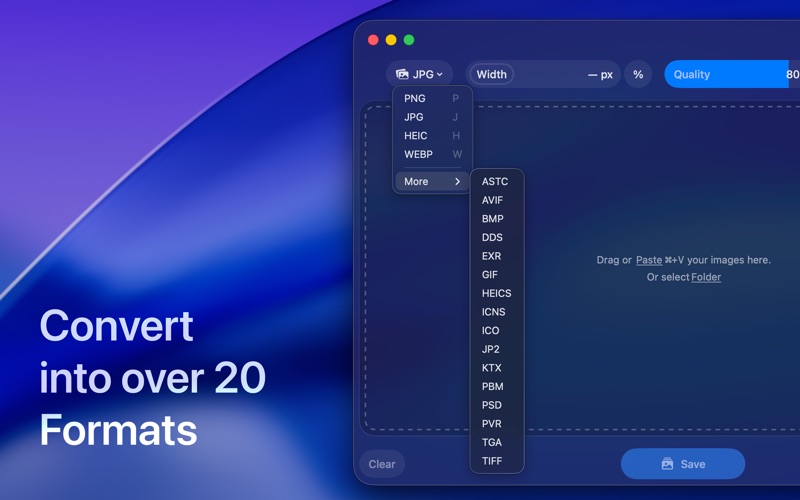
Conversion between over 50 input and 20 output formats.
Intuitive drag-and-drop interface with smooth animations and haptic feedback.
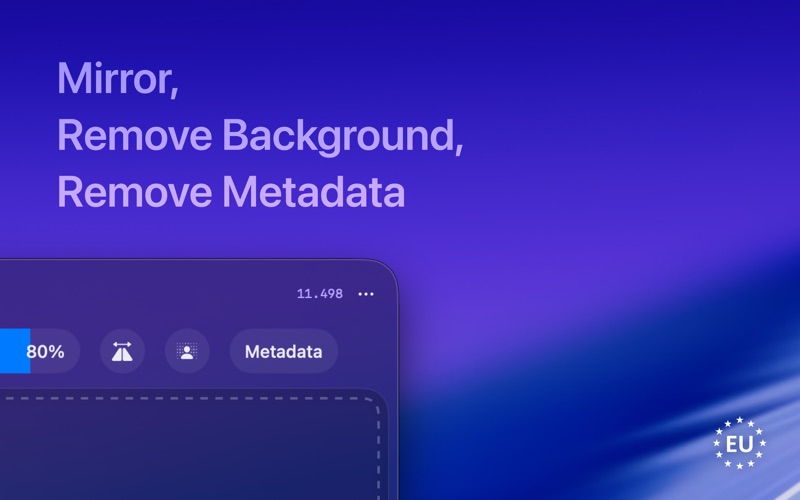
Easily remove or preserve image metadata (EXIF).
Adjust compression quality for formats like JPEG, WebP, AVIF, TIFF, PDF, and HEIC.
Remove background or flip an image.
Completely private: Works offline with no trackers or analytics.
Optimized for macOS 13+ and all Apple Silicon Macs (M1, M2, M3, M4).
Made with care in Europe.
A SMOOTH WORKFLOW
Adding images is flexible. You can drag and drop files or folders, copy and paste via “Open with,” or select them directly from the Finder. Convert & Compress is built for performance, allowing you to process images in batches with ease. Your converted files are automatically saved to their original location or to a chosen folder.
Convert & Compress DESIGNED FOR THE MAC
The app is designed to feel right at home on your Mac, following Apple’s Human Interface Design Guidelines. We’ve focused on creating a thoughtful and enjoyable user experience. With every new macOS update, ImageTool will automatically support new input image formats, ensuring it’s always up-to-date.
Convert & Compress SUPPORTED INPUT IMAGE FORMATS
Adobe Photoshop document (.psd), Adobe raw image (.dng), Apple icon image (.icns), ASTC textures (.astc), AV1 Image File Format (.avif), Canon CR2 raw image (.cr2), Canon CR3 raw image (.cr3), Canon CRW raw image (.crw), Canon TIF raw image (.tif), DDS textures (.dds), DxO raw image (.dxo), Epson raw image (.erf), Fuji raw image (.raf), GIF image (.gif), Hasselblad 3FR raw image (.3fr), Hasselblad FFF raw image (.fff), HEIF Image (.avci, .heic, .heif), HEIF Image Sequence (.heics), JPEG 2000 image (.jp2), JPEG image (.jpeg), JPEG XL (.jxl), Kodak raw image (.dcr), KTX textures (.ktx), Leaf raw image (.mos), Leica raw image (.raw, .rwl), Minolta raw image (.mrw), Multiple Picture Object image (.mpo), Nikon NRW raw image (.nrw), Nikon raw image (.nef), Olympus raw image (.orf), OpenEXR image (.exr), Panasonic raw image (.rw2, .raw), Pentax raw image (.pef), Phase One raw image (.iiq), PNG image (.png), Portable Bitmap Format (.pbm), PVRTC Textures (.pvr), QuickDraw picture (.pict), Radiance (.pic), Samsung raw image (.srw), Silicon Graphics image (.sgi), Sony raw image (.arw, .srf, .sr2), SVG (.svg), TGA image (.tga), TIFF image (.tiff), WebP Image (.webp), Windows BMP image (.bmp), Windows icon image (.ico)
Convert & Compress SUPPORTED OUTPUT IMAGE FORMATS
Adobe Photoshop document (.psd), Apple icon image (.icns), ASTC textures (.astc), AV1 Image File Format (.avif), DDS textures (.dds), GIF image (.gif), HEIF Image (.heic), HEIF Image Sequence (.heics), JPEG 2000 image (.jp2), JPEG image (.jpeg), KTX textures (.ktx), OpenEXR image (.exr), PDF document (.pdf), PNG image (.png), Portable Bitmap Format (.pbm), PVRTC Textures (.pvr), TGA image (.tga), TIFF image (.tiff), WebP Image (.webp), Windows BMP image (.bmp), Windows icon image (.ico)
Convert & Compress DEVELOPMENT & FEEDBACK
This software is made in Europe with a focus on quality and longevity. The source code is available on GitHub.
I would love to hear from you! If you have a feature request, find a bug, or just want to say hello, please feel free to get in touch at [email protected]
Download
No comments yet. Be the first to share your thoughts!
Comments & Reviews