
DashPane
Information
Description
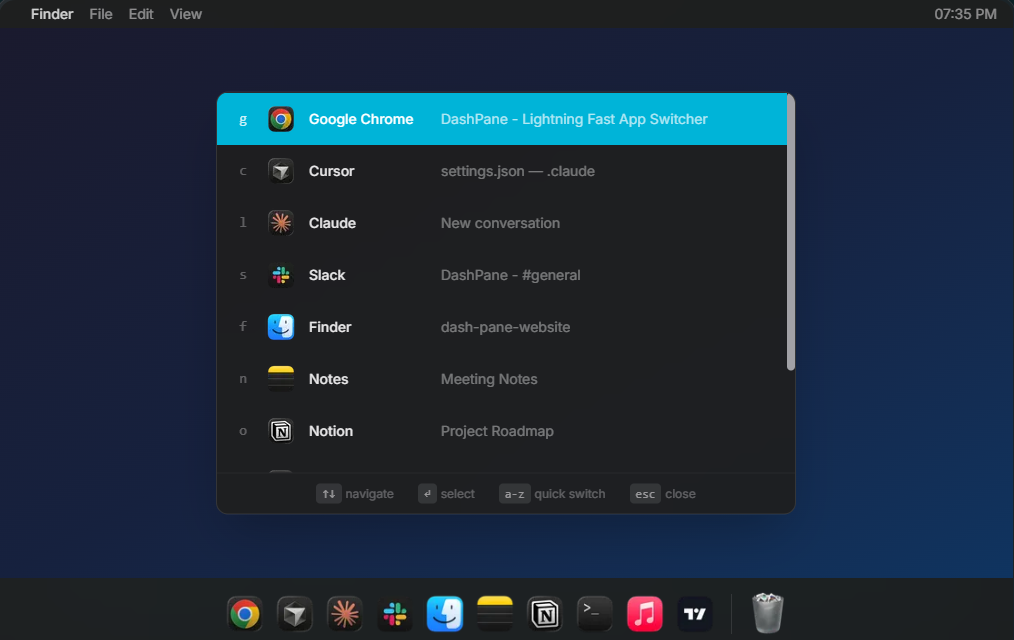
DashPane is a lightning-fast app switcher built for macOS that can completely enhance users’ multitasking efficiency.
Users only need to press a shortcut key, enter a few letters, and instantly jump to any application, far beyond the traditional Cmd+Tab experience. The software is developed with native Swift, no Electron framework, light size, extremely low memory footprint, quiet running in the background, and supports macOS 13 and later. It innovatively introduces edge activation, moving the cursor to the bottom left or right corner of the screen, and scrolling with two fingers to bring up the sidebar, showing all open windows and grouping them by application.
Each app can be expanded to view specific windows, and clicks can be used to switch between them immediately, eliminating the need to search repeatedly in Mission Control. DashPane also offers fuzzy search capabilities, intelligently matching apps by simply typing some letters, and keyboard-first operation, making it a perfect fit for experienced users who value workflow efficiency. The interface design follows the native macOS style, perfectly adapting to light and dark modes, and the visual experience is smooth and natural.
At the same time, it emphasizes the principle of privacy first, does not collect any data, does not analyze and track, and the user’s workflow is completely confidential. The software is independently maintained by developers who actually use it every day, and promises continuous updates and support for new systems on the first day to ensure long-term stability and reliability.
Whether it’s switching between applications frequently or dealing with complex multi-window scenarios, DashPane significantly reduces operational time, allowing users to focus on the work that truly matters.
Notes:
ARM only.
Download
No comments yet. Be the first to share your thoughts!
Comments & Reviews