
Delta: Compare Docs & Folders
Information



Description
Delta: Drop two files and instantly see every difference highlighted side by side.
No setup, no configuration – just drag, drop, and compare.
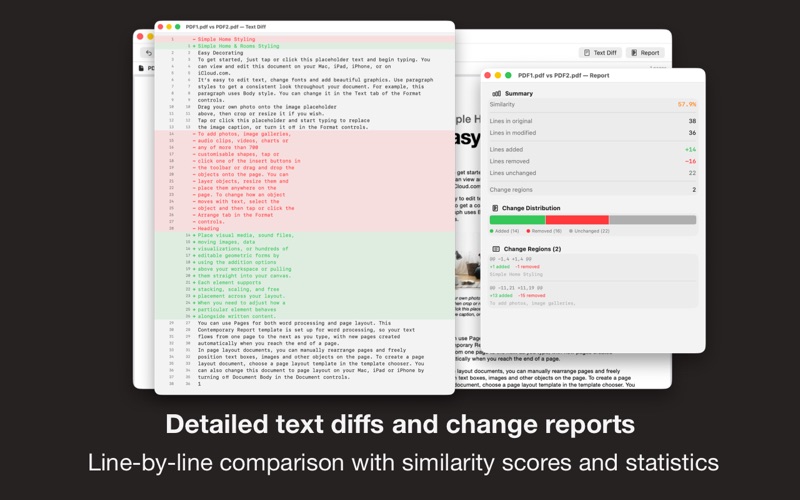
Delta compares PDFs, Word documents, rich text, plain text, and images – showing you exactly what changed between two versions. Compare entire folders too, with a clear tree view of every added, removed, and modified file.
COMPARE ANYTHING
• PDFs, Word, RTF, plain text, and text-based files (HTML, XML, Markup)
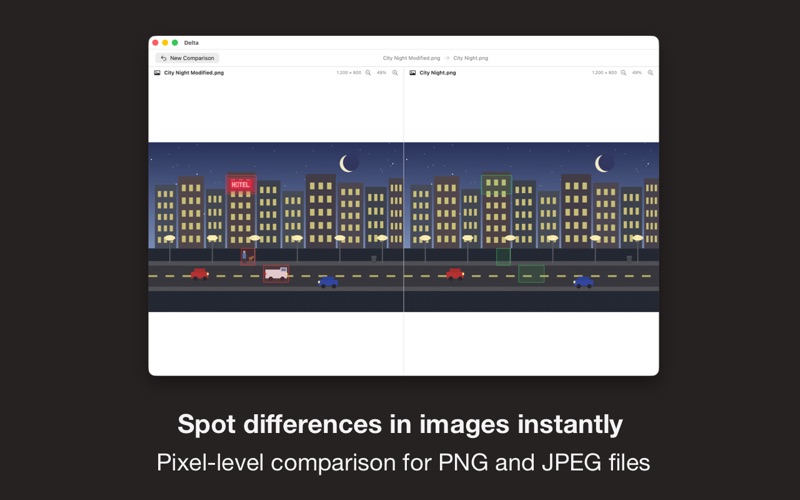
• PNG and JPEG images with pixel-level precision
• Entire folder structures with one drag and drop
HIGHLIGHTS THAT MATTER
• Word-level and paragraph-level change detection
• Visual overlays pinpoint exactly what’s different
• Filter by status to focus on what changed, skip what didn’t
FOLDER COMPARISON
• Tree view shows added, removed, modified, and identical files
• Click any modified file to open a detailed side-by-side diff
• Handle large directories with ease
WHO IS IT FOR
• Lawyers reviewing contract revisions
• Writers comparing document drafts
• Designers checking image changes between rounds
• Researchers tracking report iterations
• Teams that need to know what changed between versions
SIMPLE PRICING
One-time purchase. No subscriptions, no recurring fees. Family Sharing included.
The free version compares the first page of any document. Upgrade to Pro for unlimited full-document and full-folder comparisons.
SUPPORT
We read your support emails every day, day by day.
Write with confidence any question, feedback, or complaint, and you will receive an answer in a very short period of time.
What's New
• Bug fixes and improvements
Download
No comments yet. Be the first to share your thoughts!
Comments & Reviews