DiskMap AI: Find Large Files
Information




Description
DiskMap AI shows you exactly what is eating your disk space – and helps you clean it up in minutes.
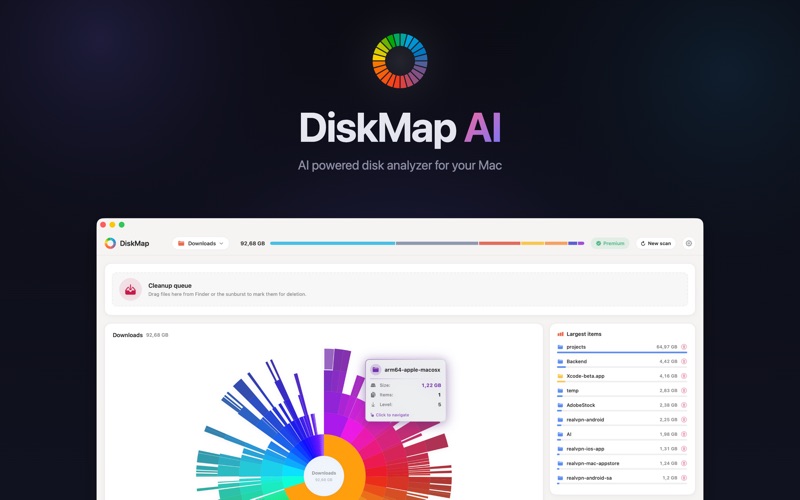
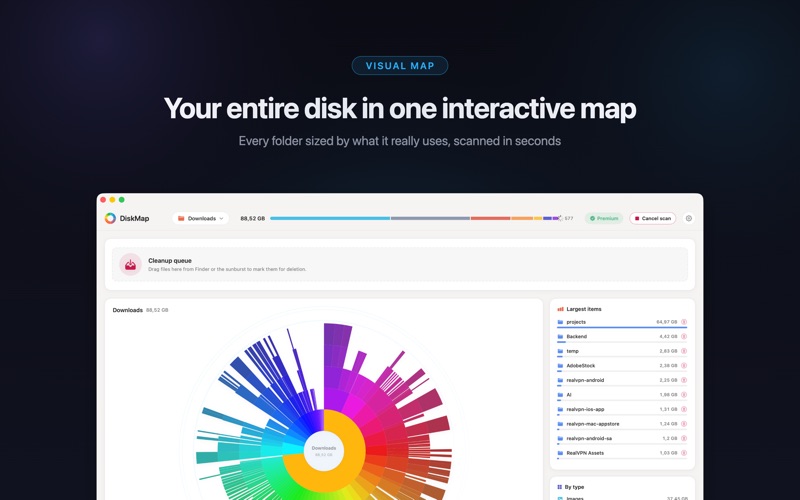
Your Mac fills up, the “storage almost full” warning appears, and Finder gives you no real answers. DiskMap AI scans your entire drive in seconds and turns it into a beautiful, interactive storage map. Every file and folder becomes a colorful slice sized by how much space it takes, so the biggest space hogs jump out instantly. Find large files, clear out junk, and free up gigabytes of disk space – without digging through endless folders.
INTERACTIVE SUNBURST MAP
Visualize your whole disk as a stunning radial chart. Click any ring to zoom into a folder and watch your storage usage unfold layer by layer. The bigger the slice, the bigger the problem – analyzing disk space has never been this clear or this fast.
FIND THE BIGGEST FILES INSTANTLY
DiskMap AI ranks the largest files and folders on your Mac in one clean, sortable list. Forgotten video exports, huge archives, old installers and downloads float straight to the top, so you always know exactly what to delete first.
RECLAIM FREE SPACE SAFELY
Spot bloated caches, junk, duplicate downloads and forgotten folders, then clear them out with confidence. DiskMap AI helps you free up storage fast while keeping you in full control – nothing is ever removed without your action.
ANALYZE EVERY DRIVE AND VOLUME
Scan your internal SSD, external hard drives, USB sticks and network volumes in one place. Compare storage usage across disks and keep every drive clean.
DRAG, DROP, DONE
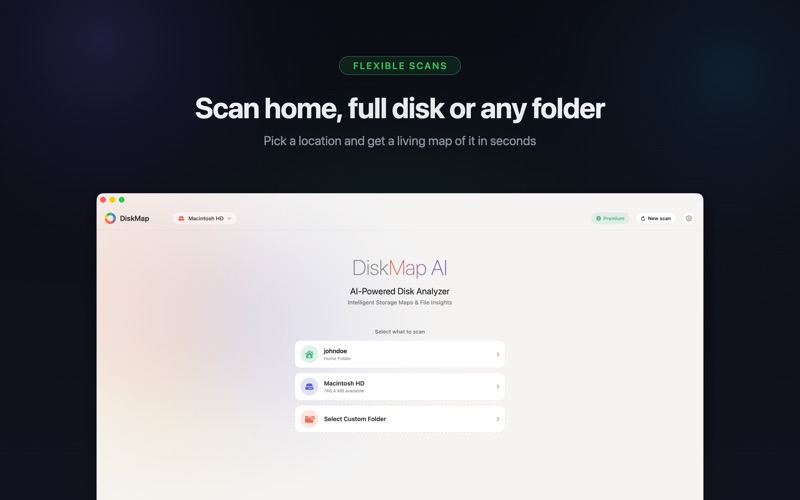
Drop any folder onto DiskMap AI to instantly map just that location. Perfect for checking your Downloads, project folders, photo libraries or that mysterious directory that keeps growing.
LIGHTNING-FAST NATIVE PERFORMANCE
Built from the ground up as a true native macOS app, DiskMap AI scans even huge drives in moments. It feels right at home next to Finder – fast, fluid and responsive.
100% PRIVATE, WORKS OFFLINE
Everything runs locally on your Mac. Your files, your data and your scan results never leave your computer. No accounts, no cloud, no tracking – just a disk analyzer that respects your privacy.
BEAUTIFUL IN LIGHT AND DARK
Gorgeous themes designed for macOS make cleaning up your storage a genuinely pleasant experience, day or night.
WHO IS DISKMAP AI FOR?
– Anyone hit by the “Your disk is almost full” warning
– Creators managing huge video, photo and audio libraries
– Developers tracking down bloated build folders and caches
– MacBook owners who want to free up space before an update
– Anyone who wants to understand where their storage actually went
WHY USERS LOVE IT
– See your entire disk usage at a glance
– Find large files and folders in seconds
– Free up gigabytes of space in minutes
– Clean external drives as easily as your main disk
– No subscriptions to scan, no nonsense
Subscription Terms:
Payment is charged to your Apple Account. Subscriptions renew automatically unless cancelled at least 24 hours before the end of the current period. Manage or cancel anytime in Account Settings.
https://www.apple.com/legal/internet-services/itunes/dev/stdeula/
Stop guessing where your free space went. Download DiskMap AI, scan your Mac, and take back control of your storage today.
Download
No comments yet. Be the first to share your thoughts!
Comments & Reviews