
Ethernet Status: LAN Monitor
Information

Description
Ethernet Status: LAN Monitor: Stop digging through Network Settings.
Instantly view your Ethernet connection, IP address, and internet speed directly from your Mac menu bar.
Built for professionals who rely on stable wired connections, this lightweight utility gives you real-time network insights at a glance.
Whether you’re a developer, IT admin, or remote worker — your network matters.
▶ Know if your Ethernet is actually connected
▶ Instantly check public & local IP
▶ Track upload & download speed live
▶ Detect connection issues before they slow you down
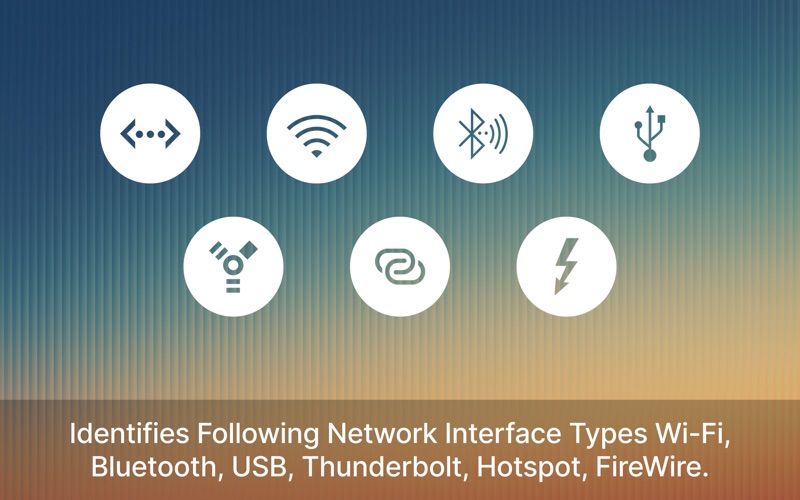
■ Ethernet
■ Wi-Fi
■ Bluetooth Network
■ iPhone/iPad USB Network
■ Firewire
■ Thunderbolt Network
≈ Features: ≈
◉ Live Ethernet Status in Menu Bar
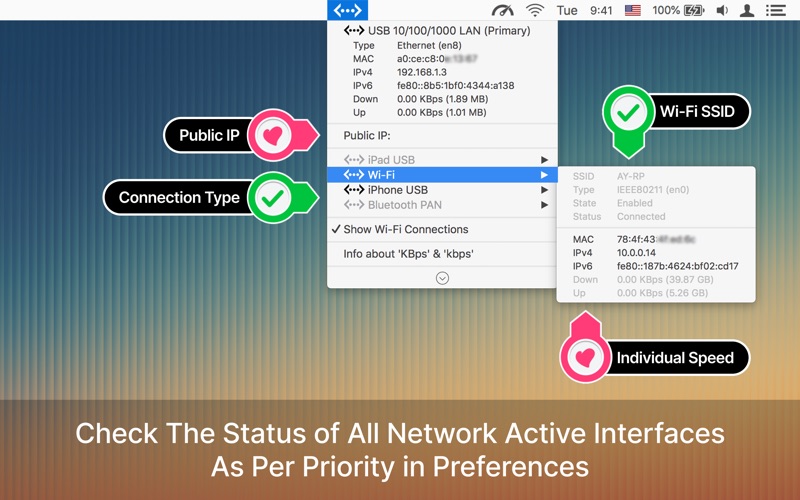
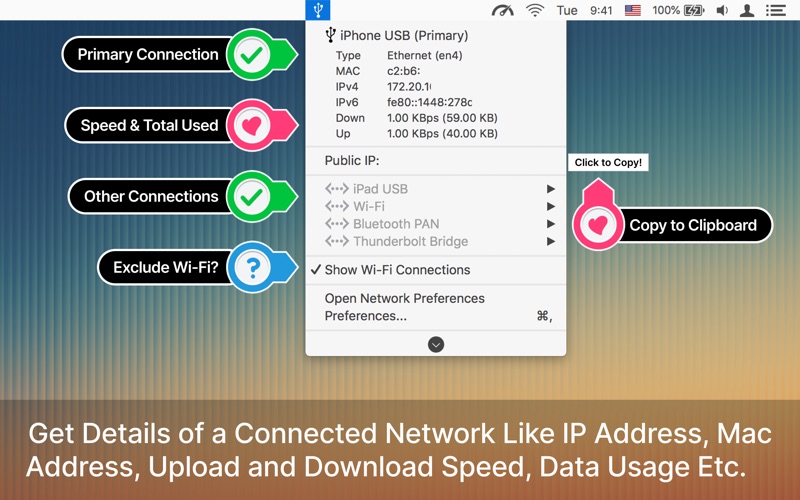
◉ View IP Address (IPv4 & IPv6)
◉ Real-Time Upload & Download Speed
◉ Public IP Detection
◉ Supports Thunderbolt, USB & FireWire Adapters
◉ Monitor Multiple Network Interfaces
◉ Copy IP & MAC Address Instantly
◉ Color Indicators for Connection Status
▹ Green color: Connected
▹ Yellow color: No Internet
▹ Red color: Disconnected
◉ Voice Alerts for Network Changes
Perfect For
※ Network engineers & IT professionals
※ Developers & system admins
※ Remote workers using Ethernet
※ Anyone troubleshooting internet issues
WHY USERS LOVE IT
● Minimal & lightweight (no system slowdown)
● No need to open System Settings
● Works seamlessly with macOS menu bar
● Accurate real-time network data
COMPATIBILITY
Works with:
MacBook Pro / Air (M1, M2, M3)
iMac, Mac mini, Mac Studio
USB-C / Thunderbolt Ethernet adapters
Ethernet Status is a powerful Mac network monitor that helps you track LAN connection, IP address, internet speed, and adapter status in real time. Ideal for users searching for “Ethernet monitor Mac”, “menu bar network tool”, or “check IP address Mac quickly”.
***************************************************************
– “UnionBeth” App Very Helpful for Flaky Ethernet Connection
– Perfect for troubleshooting – by “TalonNYC”
– Extremely useful – by “Brachy8”
– Does what it says – by “woolly101”
– Works! – by “Nicol J Craig”
– Useful well-integrated App – by “Robotpanda2014”
– Brilliant app, does the job – by “Hybris2000”
– Very useful utility – by “hushpuppy56”
***************************************************************
Download now and take the guesswork out of your Mac’s connection status.
◎ Note: Data usage counters reset on reboot.
※ Terms of Use: https://appyogi.com/legal/terms/
Download
No comments yet. Be the first to share your thoughts!
Comments & Reviews