
Flow – Focus & Pomodoro Timer
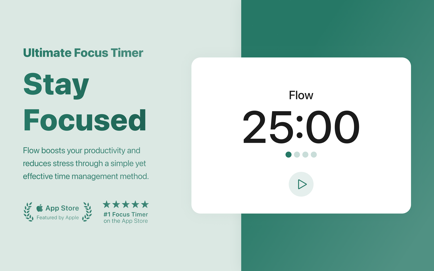
Flow helps you take control of your workflow, reduce stress, boost productivity, and focus on what matters most.
Information
Description
Simplify your day,
at a time.
Flow helps you take control of your workflow, reduce stress, boost productivity, and focus on what matters most.
Flow is a tiny but mighty app that helps you working on a task, studying for school or simply keeping focus without being distracted for a certain amount of time. divides your workflow into sections with defined breaks and thereby enables you to stay focused easily. This method is scientifically proven to be efficient in increasing your focus and motivation while reducing stress. The use of a pomodoro timer can increase your productivity significantly.
I always use Flow when …
… having to concentrate
… working on a task
… studying for an exam
… developing a project
… coding all night long
… in Home Office
Benefits of this Technique
• More Focus and Concentration
• Increased Productivity
• Less Stress and Better Health
• Better Management of Interruptions
• Keeping High Motivation Levels
• Reinforcing Determination
Features
• Pomodoro timer with work intervals and breaks
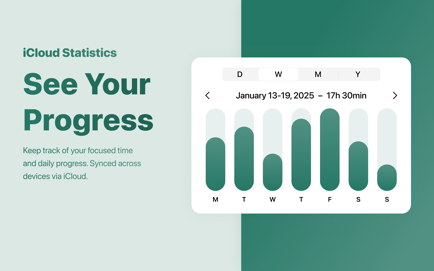
• Statistics to keep track of your completed sessions
• Notifications to remind you of short breaks
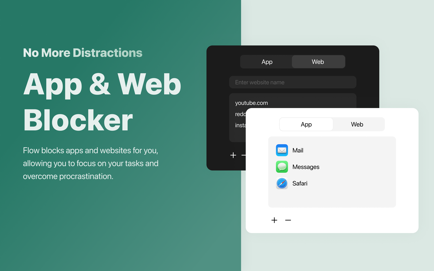
• App and web blocking to combat distractions
• Commitment mode for self-control
• Inspirational quotes for motivation
• Ticking sound for deep focus
• Multiple duration options
• Custom session title
• Apple Calendar sync
• iCloud sync of stats
• Fullscreen breaks
• Time sheet export (.csv, .txt)
• Customizable keyboard shortcuts
• Widgets with quotes and daily stats
• Minimalistic design with no dock icon
• Right-click the menu bar timer for quick activation
PRO
The basic version of is free to use forever. You can upgrade to PRO within the app if you want to unlock certain additional features, such as custom durations and session counts, CSV export, calendar sync, and more.
Download
No comments yet. Be the first to share your thoughts!
Comments & Reviews