
Frset – Clipboard & Tools
Information




Description
Frset – Clipboard & Tools: Local-first clipboard manager and productivity toolkit for Mac.
Bring clipboard history, screenshots, search, notes, calendar, and everyday utilities together in one streamlined workspace for less switching and smoother workflows.
Frset is a macOS app that keeps clipboard management and a wide range of daily tools in one place. It processes and stores content locally whenever possible, balancing privacy with convenience. With clipboard history, screenshots, search, notes, AI tools, developer utilities, system monitoring, and calendar built into a single workflow, Frset helps you stay focused and move faster, with polished visuals and fluid motion that make everyday tasks feel lighter and more natural.
YOUR CLIPBOARD, BUILT FOR REUSE
Frset turns your clipboard into more than a temporary stop. It gives you a faster way to review, organize, and reuse copied content.
• Organize clipboard history by content type, including text, images, links, files, and code
• Preview Markdown, view syntax-highlighted code with line numbers, and manage multiple tabs
• Use a floating panel for quick access to frequently used content
FIND IT, SAVE IT, USE IT AGAIN
From quick search to notes and temporary storage, Frset helps you move from discovery to saving to reuse with less friction.
• Search the web instantly with quick search
• Add your own custom search engines
• Capture ideas, temporary notes, and reference material with Markdown notes
EVERYDAY TOOLS, READY WHEN YOU ARE
Frset brings everyday utilities into one place, with results ready to go straight back to your clipboard for the next step.
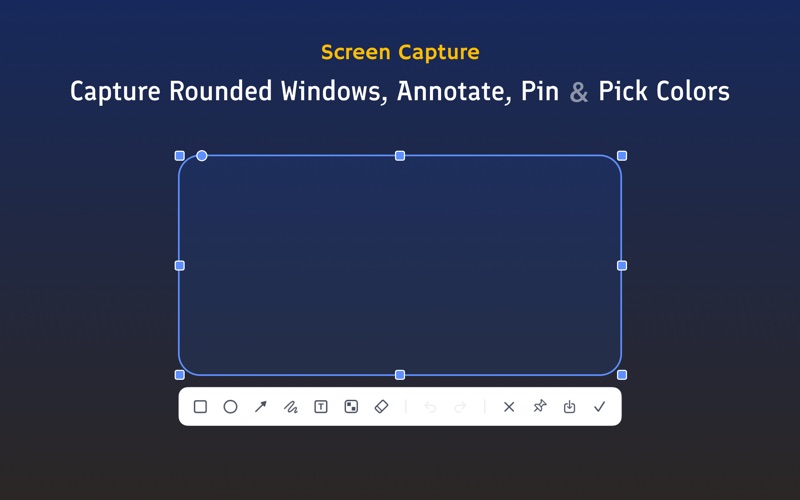
• Take rounded screenshots, pin them on screen, annotate them, and pick colors
• Use built-in tools for JSON formatting, timestamp conversion, variable naming, Base64 and URL encoding/decoding, and image compression
• Generate QR codes
• Create custom AI tools and organize prompts your way
SYSTEM STATUS AND CALENDAR AT A GLANCE
Keep useful system and calendar information close at hand, without extra switching.
• Check network speed, CPU, RAM, and SSD status
• See a dynamic menu bar icon that changes with CPU usage
• View upcoming events at a glance
Frset brings your clipboard and everyday tools into one streamlined workflow, making information easier to handle and high-frequency tasks faster to complete.
Thanks for reading this far. We’ve hidden a tiny Easter Egg somewhere in Frset. Happy hunting.
Feature requests and bug reports: [email protected]
Download
No comments yet. Be the first to share your thoughts!
Comments & Reviews