Image Stack
Information
Description
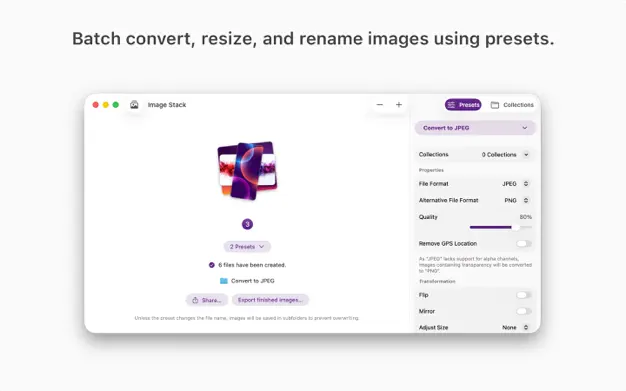
Image Stack converts images using presets to change formats, resize, rename, and more—whether you’re processing one image or thousands, everything is ready with just a few taps.
KEY FEATURES
• Batch convert images into modern formats
• Apply one or more presets to avoid repetitive work
• Rename files with prefixes, suffixes, or replacements
• Resize images to match your requirements
• Add overlays such as watermarks
• Adjustable quality and metadata options
• Drag-and-drop simplicity
• Presets sync via iCloud for all your devices
• Ultra-fast processing
• Works on both macOS and iOS and iPadOS
IDEAL FOR
• Photographers organizing shoots
• Designers exporting assets
• Content creators preparing media
• Anyone converting or renaming small or large image sets
Image Stack is free to download and use.
You can work with the app for as long as you like. To unlock the full experience and remove trial limits—such as the daily image limit—you can activate the full version with a one-time in-app purchase. The purchase is valid across all versions of Image Stack, including Mac, iPhone, and iPad.
Is there any feature you are missing? Let me know!
Download
No comments yet. Be the first to share your thoughts!
Comments & Reviews