KeyPulse: Keystroke Display
Information





Description
KeyPulse shows your keyboard on screen, so the people watching can follow what you actually press.
Every key appears as a clean overlay, stays readable for a moment and then fades. No camera aimed at your keyboard, no keystrokes added during editing, no need to say “and now I press Command-Shift-4” out loud.
WHAT IT IS FOR
• Tutorials and screencasts, where viewers keep rewinding to catch a shortcut
• Live streams and product demos
• Classes and workshops
• Pair programming and remote calls
THREE WAYS TO SHOW YOUR KEYBOARD
Key Trail shows everything you press, characters included. Use it when the audience has to follow along key by key.
Commands shows only modifier shortcuts such as Command-Shift-4 or Option-Command-I. Ordinary typing stays invisible, so the shortcut is what people notice.
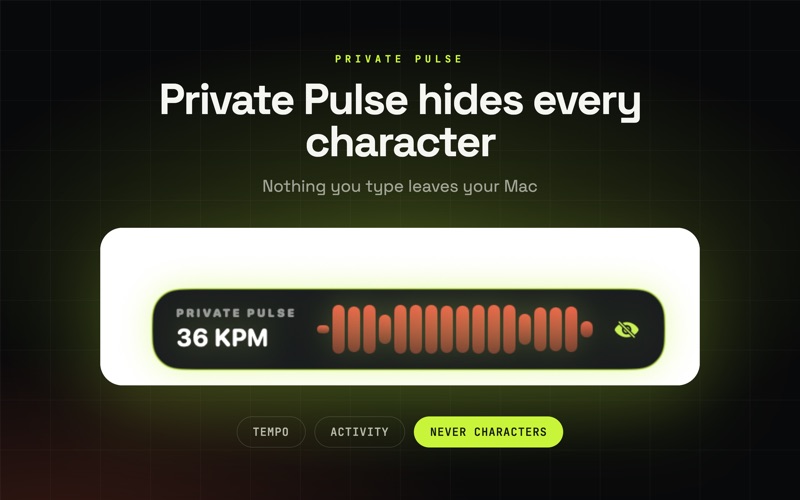
Private Pulse shows activity and tempo, never characters. Built for focus sessions and calls where nothing you type should be readable.
PRIVACY
• What you type never leaves your Mac. No account, no cloud, no telemetry.
• KeyPulse asks for Input Monitoring and nothing else. It never requests Accessibility, so it cannot click or type on your behalf.
• When macOS turns on Secure Input for a password field, the system stops delivering keys. KeyPulse says so on screen instead of going blank without explanation.
• Local statistics can be switched off, and one click erases them.
TUNE IT TO YOUR SCREEN
• Six overlay styles: Voltage, Carbon, Paper, Matrix, Ember, Caption
• Nine anchor positions, three sizes, trail duration from 0.8 to 4 seconds
• Main display, the display holding your cursor, or every connected display
• Follow cursor mode keeps the trail next to the pointer
• Click rings and a cursor halo make mouse actions visible
• Mechanical key sounds (Tactile Thock, Clicky, Soft Linear) with volume control
• Held modifiers appear live, repeated keys collapse into a counter
WORKSPACES
Focus, Teach and Stream switch mode, style, sound and effects together. Focus stays quiet and hides characters, Teach spells out every key with held modifiers, Stream moves to commands with click rings and the Ember style. Going from deep work to recording takes one click.
IN YOUR MENU BAR
A compact panel shows your live rhythm, the current mode and whether the pulse is running. Control-Option-K toggles the overlay from anywhere, and Option-clicking the menu bar icon does the same. KeyPulse can start at login and stay out of the Dock. A three-step welcome tour sets everything up in about a minute, and you can replay it later from Settings.
LOCAL INSIGHTS
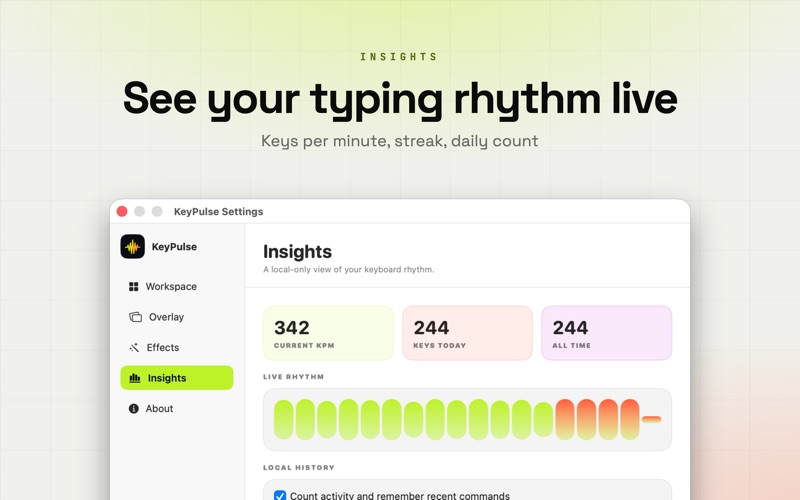
Keys per minute, current streak, keys today and all time, plus recent commands and your most-used combinations. Everything stays on your Mac and can be turned off whenever you want.
KEYPULSE PLUS
Free forever: Key Trail and Private Pulse, the Voltage and Carbon styles, the overlay in its standard position, live rhythm and counters.
KeyPulse Plus adds the Commands mode, all six styles, mechanical key sounds, click rings and cursor halo, every anchor position, multi-display and follow cursor output, and your command history. Choose a monthly or yearly subscription, or buy a lifetime licence once.
Subscription Terms:
Payment is charged to your Apple Account. Subscriptions renew automatically unless cancelled at least 24 hours before the end of the current period. Manage or cancel anytime in Account Settings.
https://www.apple.com/legal/internet-services/itunes/dev/stdeula/
Make every key visible, not vulnerable.
Download
No comments yet. Be the first to share your thoughts!
Comments & Reviews