
Kommand – Shortcut Manager
Information

Description
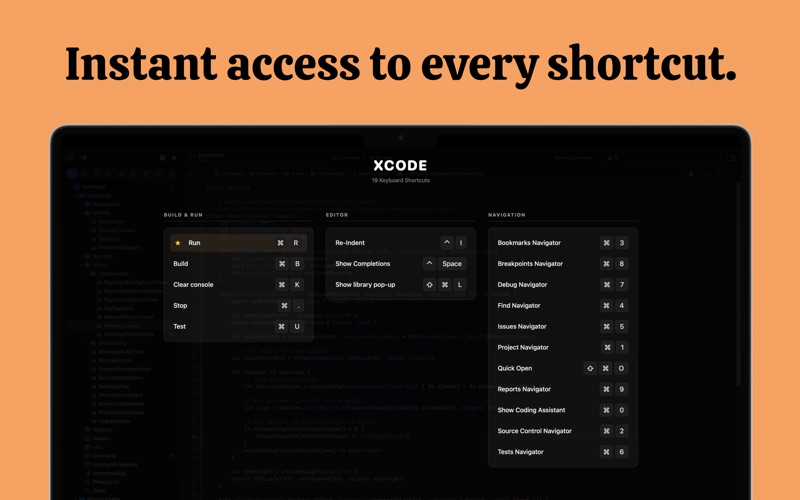
Kommand – Shortcut Manager: Press ⌥⌘K. See every shortcut. Work faster.
Kommand shows you all keyboard shortcuts for your current app in a beautiful overlay, organized by category and ready to use. No more googling
shortcuts or digging through menus. Just instant access to the commands you need.
Build your own Collections
Add apps, create categories, and organize shortcuts the way that makes sense to you.
Every shortcut you add is yours, stored securely and synced automatically across all your Macs via iCloud.
KEY FEATURES
• Instant Overlay – Press ⌥⌘K to reveal all shortcuts for your current app
• Full Customization – Create, edit, and organize your own shortcut collections
• iCloud Sync – Your shortcuts follow you across all your Macs automatically
• Works With Any App – Xcode, Figma, Slack, Terminal, or any Mac app you use
• Smart Categories – Group shortcuts by Edit, View, Navigate, or custom categories
• Menu Bar Access – Quick access from your menu bar anytime
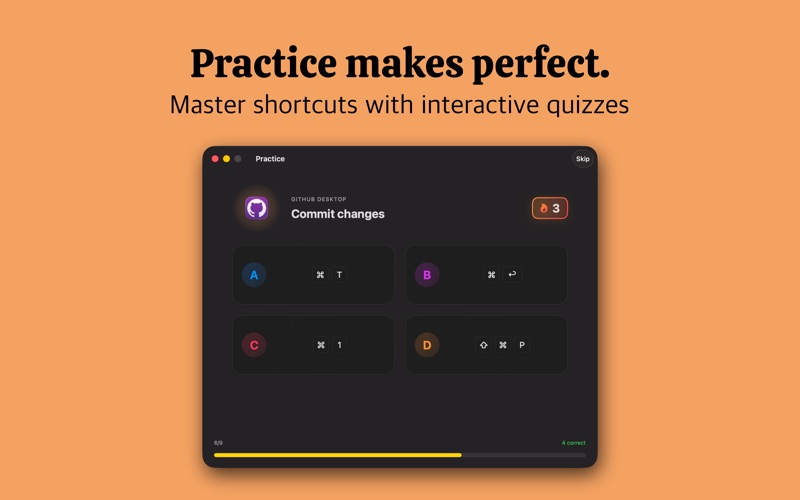
• Practice Mode – Quiz yourself to memorize shortcuts faster
• Native macOS – Built with Swift, fast and lightweight
PERFECT FOR
→ Anyone who wants to work faster on their Mac
→ Beginners learning their first keyboard shortcuts
→ Power users with dozens of apps to master
HOW IT WORKS
1. Add your favorite apps
2. Create shortcuts manually or browse our gallery
3. Organize into categories that work for you
4. Press ⌥⌘K anytime, your shortcuts appear instantly
5. Switch Macs, everything syncs automatically
BUILT FOR MACOS
Kommand is a native Swift app designed specifically for Mac. Your data stays yours, stored locally and synced through your own iCloud account. No
account required, no data on our servers.
Start with 5 free apps. Unlock unlimited apps with a single lifetime purchase, no subscription.
Press ⌥⌘K. Master your Mac.
Download
No comments yet. Be the first to share your thoughts!
Comments & Reviews