
LanScan
LanScan is a simple and efficient IPv4 & IPv6 network scanner that discovers all active devices on any subnet: the local one, or any public subnet that you configure.
Information
Description
LanScan is a simple and efficient IPv4 & IPv6 network scanner that discovers all active devices on any subnet: the local one, or any public subnet that you configure.
IPv4 LanScan Features:
→ Auto-detection of configured interfaces: Airport, Ethernet, Virtual interfaces …
→ Scan the IP range you like, from 1 IP to the whole IPv4 address space!
→ Scan your local network with ARP packets
→ Scan public IP network ranges with Ping / SMB / mDNS packets
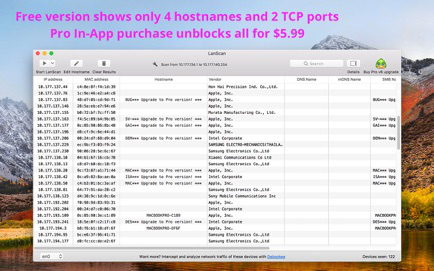
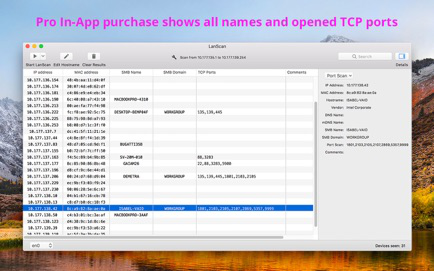
→ Display the IP address, MAC address, hostname (4 max) and vendor associated
→ Discover the SMB domain if any configured
→ Hostname resolution: DNS, mDNS (Apple devices) and SMB (Windows devices)
→ Custom hostname edition
→ Custom comment for each device
→ Open custom URL in browser
→ Export results in CSV files
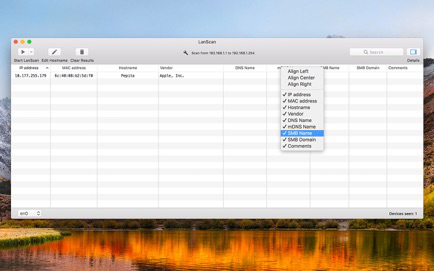
→ Hide/show each column
→ Align each column as you want
→ No limitation on the number of devices found !
IPv6 LanScan Features:
→ Displays Link-Local (private) and Global (public) IPv6 addresses.
→ Like IPv4, some features in free trial and full unobfuscation through an In-App Purchase
→ Go in Help → In-App purchases for more details
Restrictions in free trial version compared to Pro In-App Purchase:
→ Some hostnames, comments, TCP ports or IPv6 addresses might be obfuscated in free trial
→ The free trial only obfuscate results, but display them all : if a column is blank or empty, buying a Pro In-App feature won’t make any new result appear.
Download
No comments yet. Be the first to share your thoughts!
Comments & Reviews