
Lungo
Lungo prevents your computer from falling asleep and your screen from dimming.
Information
Description
Lungo prevents your computer from falling asleep and your screen from dimming.
This can be useful when:
– Doing a presentation at work.
– Watching YouTube videos in non-fullscreen mode.
– Cooking and having the recipe open on your computer.
– Reading a long article without scrolling.
– Using the screen to view live stats.
– Monitoring progress on a long-running task.
Features:
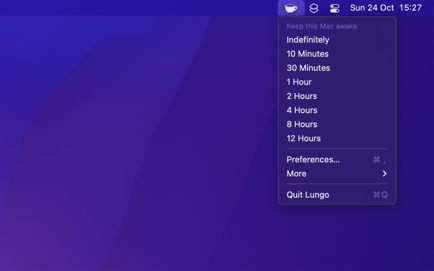
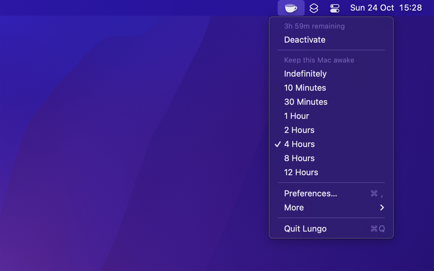
– Right-click the menu bar icon to quickly activate.
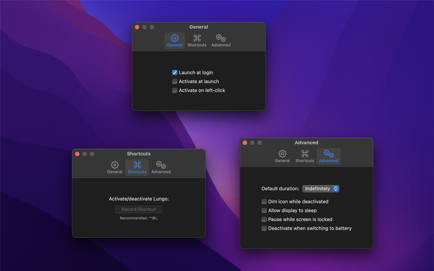
– Choose to activate with left-click instead in the settings.
– Choose to activate at launch in the settings.
– Allow the display to sleep in the settings.
– Set the default duration in the settings, which is used when Lungo is activated by clicking the menu bar icon.
– Custom keyboard shortcut to activate/deactivate Lungo.
– Deactivate automatically when disconnecting the power adapter (opt-in).
– Shortcuts support.
– Control Lungo from scripts or the terminal. (See the website for more info)
Important: will not prevent your computer from sleeping if you close the lid. This is a Mac App Store limitation. is also not able to prevent a scheduled sleep, enabled in the battery system settings.
Support: Click the “Send Feedback” button in the app.
Download
No comments yet. Be the first to share your thoughts!
Comments & Reviews