
macOS Catalina
macOS Catalina gives you more of everything you love about Mac. Experience three all-new media apps.
Information
Description
macOS Catalina gives you more of everything you love about Mac. Experience three all-new media apps: Apple Music, Apple TV, and Apple Podcasts. Locate a missing Mac with the new Find My app. And now coming to Mac, your favorite iPad apps. You can even extend your desktop using iPad as a second display. Now you can take everything you do above and beyond.
Apple Music
• Stream and download over 50 million songs with an Apple Music subscription.
• Access the iTunes Store to purchase songs or albums.
• Find all the music you’ve purchased, downloaded, or imported from CDs organized in the improved library.
Apple TV
• Buy or rent the latest movie releases.
• Subscribe to Apple TV channels to watch popular shows on demand and ad-free, online or off.
• Start watching on one device and pick up where you left off on any of your other devices, including Apple TV, iPhone, iPad, and compatible smart TVs.
Apple Podcasts
• Find podcasts by title, topic, guest, host, and content.
• Subscribe to your favorite podcasts to receive the latest episodes automatically.
• Begin listening to an episode on your Mac, then seamlessly resume on your iPhone, iPad, or Apple Watch when you’re on the go.
Syncing and backup
• Sync content and back up, update, and restore software from the Finder when you connect your iPhone or iPad to your Mac.
App Store with Apple Arcade
• Play 100+ groundbreaking new games with one subscription — no ads or additional purchases.
• Browse the latest games, personalized recommendations, and exclusive editorial content in the all-new Arcade tab on the App Store.
• Enjoy games across iPhone, iPod touch, iPad, Mac, and Apple TV.
Mac Catalyst
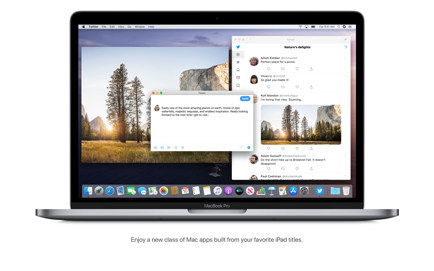
• Enjoy a new class of Mac apps built from your favorite iPad titles.
Sidecar
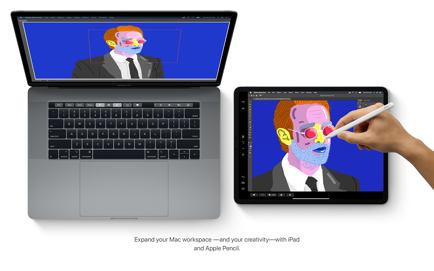
• Expand your Mac workspace by using your iPad as a second display.
• Place one app on each screen, or put your main canvas on your Mac and your tools and palettes on your iPad.
• Use Apple Pencil for tablet input when using your favorite creative pro Mac apps.
Continuity Sketch and Markup
• Create a sketch on your iPad or iPhone and insert it into any document on your Mac.
• Use your iPad or iPhone to sign a PDF or mark up a screenshot on your Mac.
Accessibility
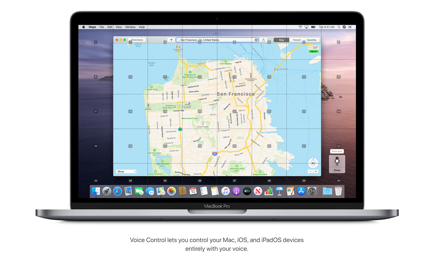
• Control your Mac entirely with your voice using Voice Control.
• Enable Hover Text to display large, high-resolution text in a dedicated window.
• Zoom in closely on one screen when using two displays for improved legibility with Zoom Display.
Security
• Feel secure knowing that the apps you use have been checked by Apple for known malware.
• Authorize access to data when apps request it using new data protections.
Find My
• Keep track of your devices and find friends and family with an easy-to-use new app.
• Help locate devices even if they’re not connected to Wi-Fi or cellular.
• Use Activation Lock to protect Mac models with the Apple T2 Security Chip.
Photos
• Enjoy a new immersive, dynamic experience that showcases your best photos and memories.
• View Memory Movies and edit their duration, mood, and title.
Safari
• Browse using an updated start page that surfaces sites from your history, bookmarks, reading list, iCloud Tabs, and even links sent to you in Messages.
• Help secure your accounts using strong passwords suggested by Safari.
Notes
• View notes as visual thumbnails in gallery view.
• Enjoy a more powerful search that recognizes text in items you’ve scanned and objects within images.
• Share an entire folder of notes using shared folders.
Reminders
• Use new edit buttons to add dates, locations, flags, attachments, and more to reminders.
• Take control of your inbox by muting a thread, blocking a sender, or unsubscribing from a mailing list.
Screen Time
• Gain insight into time spent using apps and websites and set usage limits.
• Set up Family Sharing to use Screen Time with your family’s devices.
Download
No comments yet. Be the first to share your thoughts!
Comments & Reviews