NCalc Scientific Calculator +
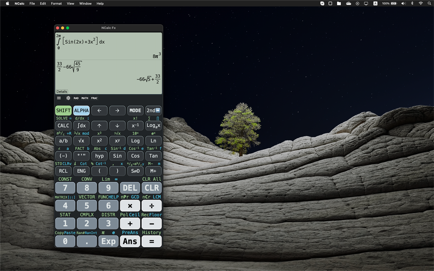
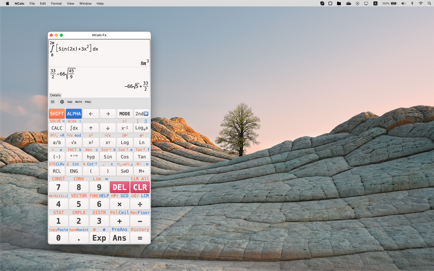
Natural display allows you to enter equations as you write them on paper, using fractions, roots, exponents and more to display.
Information
Description
NCalc Mac App:
◉ NCalc Main calculator features
• Natural display allows you to enter equations as you write them on paper, using fractions, roots, exponents and more to display same as it written in textbook.
• Keyboard layout is designed exactly as same as calculator 115 es plus, 991 es plus, 300 es plus and 991 ex
• Calculator supports calculating in two modes: symbolic and numeric, so you can perform fraction calculation.
• Arbitrary precision integers
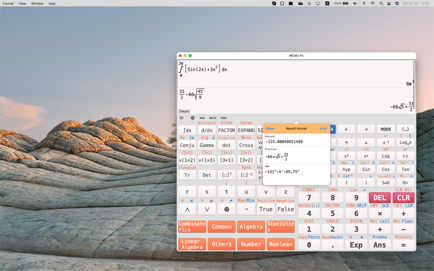
• Equation solver can solve general equation, cubic, quadratic and quartic equation, the calculator also solves inequality.
• Calculus calculator can calculate derivative, integration and find limit of expression.
• Complex number calculation
• Base N calculation (binary, decimal, hexadecimal and octal)
• Statistical calculation and regression calculation (include regression plotter)
• Table generator generates table base on expression.
• Matrix and vector calculation
• The calculator includes six output types (fraction, mixed fraction, decimal, repeat decimal, degrees/minutes/second and polar coordinates) and three angle units (degree, radian, grade)
• Decimal formatter can display decimal number in five forms: normal, engineering, engineering SI, science and fixed.
• Calculation history
◉ Formulas
Calculator has a large collection of formulas, include Math and Physics formulas. It was categorised and very useful for student in secondary school, high school and university.
◉ NCalc Unit converter:
• Currency converter
• Large collection of unit conversion (1000+)
◉ NCalc Graphing calculator
• Simultaneous graph: Cartesian, implicit, polar and parametric.
• Multiple graph workspaces
• Tracing, roots, intersections, extrema, integral
• Smooth zoom and transformation
◉ NCalc Customization
• Themes
• Fonts
• Vibrate and sound
◉ NCalc Auto-renewing subscription
You may purchase an auto-renewing subscription through an In-App Purchase.
• Auto-renewable subscription
• Your subscription will be charged to your AppStore account at confirmation of purchase and will automatically renew (at the duration selected) unless auto-renew is turned off at least 24 hours before the end of the current period.
• Current subscription may not be cancelled during the active subscription period; however, you can manage your subscription and/or turn off auto-renewal by visiting your AppStore Account Settings after purchase
• Privacy policy and terms of use: https://ncalc-app.web.app/terms-of-services.html
Download
No comments yet. Be the first to share your thoughts!
Comments & Reviews