Noticky
Information


Description
Noticky puts colorful sticky notes on your desktop that stay on top of every window.
Capture ideas instantly without switching apps.
ALWAYS ON TOP
Your notes float above everything — browsers, code editors, Zoom calls. Never lose sight of important info while you work.
INSTANT CAPTURE
Press a keyboard shortcut from any app to create a note in seconds. No clicking through menus, no context switching. A Spotlight-style quick capture field lets you type and go.
STICKY SCREENSHOTS
Turn a screenshot into a floating reference instantly. Capture part of your screen and keep it above your work while you compare, copy, or fix details.
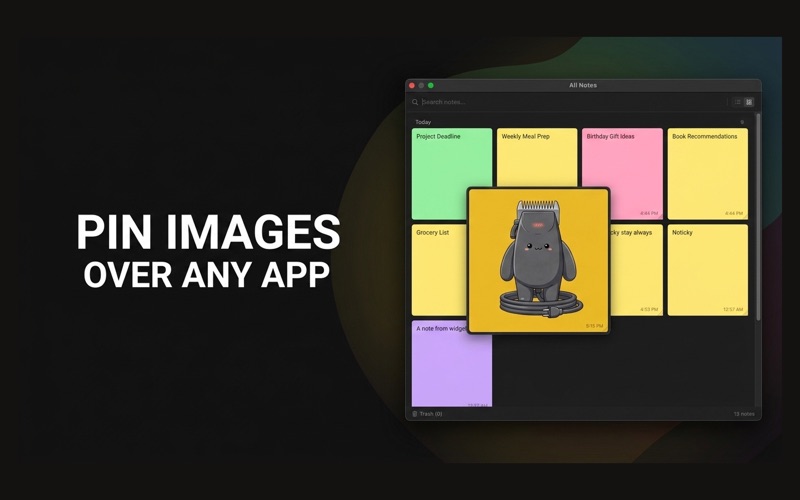
FLOATING IMAGES
Pin images as lightweight overlays. Resize them, adjust opacity, round corners, lock them in place, enable click-through, or double-click to zoom in on details.
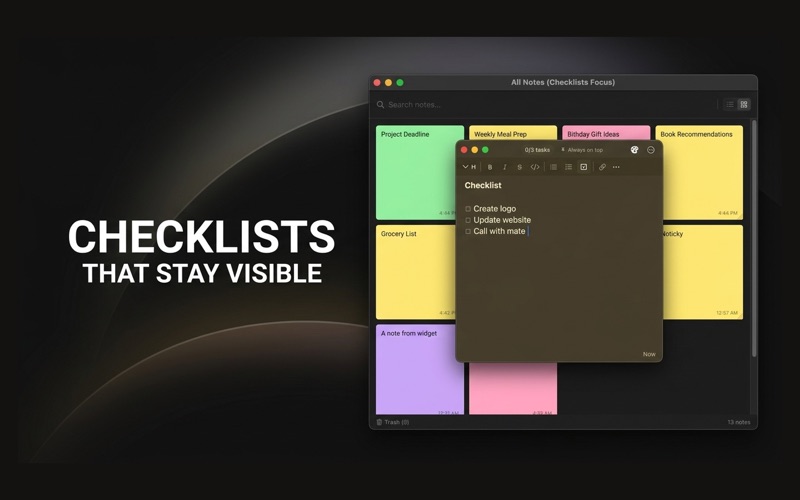
CHECKLIST NOTES
Transform notes into interactive task lists with clickable checkboxes, automatic progress, completed-task styling, and quick new tasks with Enter.
SMART STICKY ACTIONS
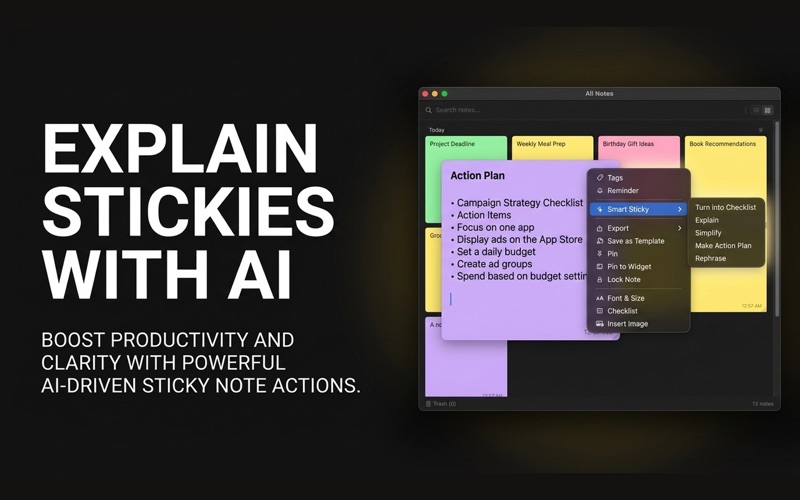
On supported Macs, Smart Sticky can explain, simplify, rephrase, make an action plan, or turn raw text into a checklist, with in-note feedback while it works.
POPCLIP SUPPORT
Install the Noticky PopClip extension from Settings to send selected text straight into a floating note.
LAYOUT MODES
Switch between Free (drag anywhere), Stack (cascade), and Tile (grid) layouts with a keyboard shortcut. Drag to reorder, click to send to back.
HOT CORNER
Move your mouse to any screen corner to summon Quick Capture instantly. No keyboard, no menu — just a flick of the wrist.
MENU BAR ACCESS
Noticky lives in your menu bar. Click to see all your notes, create new ones, or open the notes board — all without a Dock icon cluttering your workspace.
MARKDOWN SUPPORT
Bold, italic, bullet lists, checkboxes — format your notes without leaving the keyboard.
10 BEAUTIFUL COLORS
Yellow, Pink, Blue, Green, Purple, Orange, Mint, Coral, Sage, Lavender. Color-code your notes by project, priority, or mood.
LOCK SENSITIVE NOTES
Protect private notes with Touch ID or your Mac password.
WIDGETS
See your notes right on your desktop or Notification Center with 3 widget styles: single note, multi-note grid, or notes list.
iCLOUD SYNC
Your notes sync across all your Macs automatically.
TAGS & REMINDERS
Organize notes with tags. Set reminders so you never forget a to-do.
TEMPLATES
Save note templates for recurring tasks — meeting notes, daily standups, checklists.
• Always-on-top floating notes
• Global keyboard shortcut (customizable)
• Follow notes across Spaces
• Drag & drop images into notes
• Search across all notes
• Soft delete with trash recovery
• Lightweight — no Dock icon, minimal resources
What's New
- Added new note skins: Receipt, Blueprint, Terminal, and Cork. - Improved Stack and Tile layouts with uniform note sizing for cleaner organization. - Receipt and Blueprint ruled backgrounds now scroll naturally with your text. - Improved text contrast in Receipt notes. - Fixed collapsed note clipping so compact notes display correctly.
Download
No comments yet. Be the first to share your thoughts!
Comments & Reviews