
Paragon NTFS
Microsoft NTFS for Mac is a tool developed by Paragon Software that aims to provide Mac users with read and write access to the NTFS file.
Information
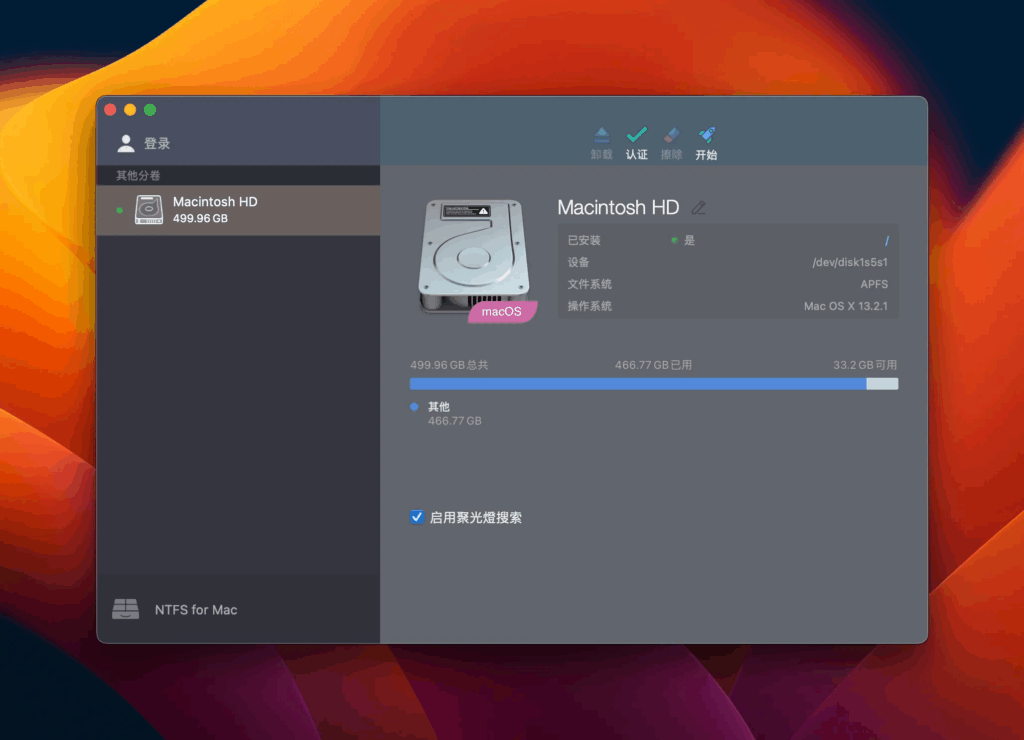
Description
Paragon NTFS: Microsoft NTFS for Mac is a tool developed by Paragon Software that aims to provide Mac users with read and write access to the NTFS file system in Windows format.
This software allows users to read, write, edit, copy, move, and delete files on NTFS volumes on Mac, solving the problem of limited support for NTFS on macOS. Users can get up to six times faster transfer speeds than other competing products with simple installation, support macOS 26 Tahoe and earlier versions, and compatibility with Apple Boot Camp for dual-boot users.
The tool also features secure data transfer capabilities, an intuitive user interface, and comprehensive support for multiple languages, making it suitable for users who require cross-platform file access. Microsoft NTFS for Mac has a beautiful interface and is easy to use, making it an ideal choice for users who need to switch between Mac and Windows frequently.
Activation Notes:
Use this link to activate: Link
If the above link doesn't work try this.
delete the installed version, reboot, then enter the following commands in the terminal:
sudo rm -rf "/Library/Application Support/Paragon Software/"
sudo rm /Library/LaunchDaemons/com.paragon-software.installer.plist
sudo rm /Library/LaunchDaemons/com.paragon-software.ntfs.loader.plist
sudo rm /Library/LaunchDaemons/com.paragon-software.ntfsd.plist
sudo rm /Library/LaunchAgents/com.paragon-software.ntfs.notification-agent.plist sudo
rm -rf /Library/Filesystems/ufsd_NTFS.fs/
sudo rm -rf /Library/PrivilegedHelperTools/com.paragon-software.installer
sudo rm -rf /Library/Extensions/ufsd_NTFS.kext/
sudo rm -rf /Library/PreferencePanes/ParagonNTFS.prefPane
Then change the year 10 years ahead in Date and Time, without rebooting and without the Internet, install the latest version downloaded, reactivate, return the current year and rebooted the system.
Download
No comments yet. Be the first to share your thoughts!
Comments & Reviews