PDFelement Pro – Edit & Scan PDF
PDFelement Pro is a one-stop PDF solution powered by AI. Fast, affordable, and easy way to edit, convert, sign PDFs, and more Using PDFelement, you will become a real PDF expert.
Information
Description
Smart PDF Editor for
Mac To Boost Workflow
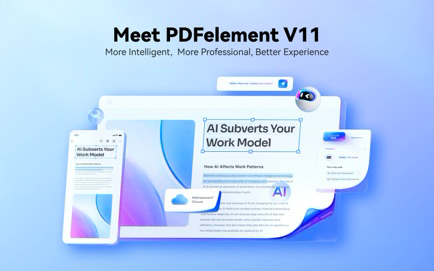
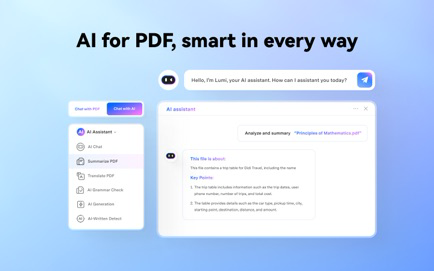
PDFelement Pro is a one-stop PDF solution powered by AI. Fast, affordable, and easy way to edit, convert, sign PDFs, and more Using PDFelement, you will become a real PDF expert. Experience seamless AI for PDFs that lets you chat, translate, rewrite, proofread, and summarize PDFs. It can even smartly create PPTs from PDFs, detect AI-generated content, and more. Unlock new possibilities with our AI PDF reader and editor.
[New Release!] **AI Tools**
• Summarize PDFs:Extract key insights from lengthy and multiple PDF docs.
• Chat with multiple PDF files at once efficiently.
• AI Translator: AI Translate PDF docs in any language on the fly.
**Edit PDF like Word**
• Add text, images, and shapes to PDFs for more organized editing.
• Change sizes, colors, and font styles of the text and link.
• Insert links and add watermarks to your document.
**Convert PDF**
• Convert files to and from PDF format in high quality.
• Convert PDFs to Word, Excel, PNG, JPG etc.,and vice versa.
• Batch convert multiple files at once to streamline your tasks.
• Convert PDF files without changing formatting, ensuring high-quality results.
**OCR (Optical Character Recognition) **
• Recognize text from scanned PDFs and images.
• OCR PDFs to Word and editable/searchable PDFs in 23 languages.
• Batch OCR PDFs/scanned images into text within seconds
** Create PDFs**
• Create PDF from images, Word documents, and various formats. Support Batch Create.
• Scan, deskew,and create PDFs from a scanner to ensure high quality.
• Start from scratch by creating a blank PDF page.
** Organize PDFs**
• Merge, split, or rotate PDF pages to suit your needs.
• Compress PDF to reduce its file size for optimized storage and sharing.
• Extract PDF pages for focused content management.
**Annotate PDFs**
• Add comment, sticky note, text box, text call-out, stamps, add/edit links, freehand drawing on PDFs.
• Highlight, underline or strikethrough text.
• Create and manage the library of prebuilt.
**Read PDFs**
• Immerse yourself in reading with Al Read Mode, 3D Read Mode, Light Mode, and more.
• Read Aloud your PDFs with the desired settings, helping you multitask on the go.
• Read PDFs while adding markups with annotation tools like highlights, underlines, notes, and text comments.
** Protect PDF **
• Safeguard your PDFs by adding passwords for enhanced security.
• Create a signature and eSign your documents.
• Ensure privacy by redacting sensitive information from your PDFs.
**Fill Forms & eSign**
• Recognize and fill in PDF form for efficient data entry. Batch modify form field properties supported.
• Create a fillable PDF with text fields, checkboxes, combo boxes, images, and more
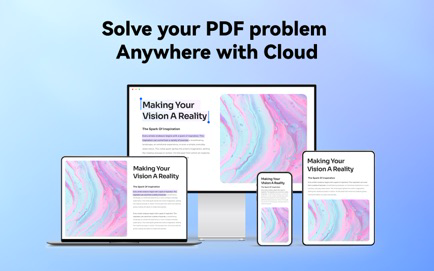
• Sign PDF on the go and sync your signatures on any device with PDFelement Cloud.
• Create e-signable PDFs and send them in bulk to recipients for convenient signing across devices.
It also includes the ability to unlock the PDFelement trial limits via an In-App Purchase, including:
• No trial watermark is added when saving or printing.
• No page count limit for PDF conversion.
• Support of the OCR function.
Download
No comments yet. Be the first to share your thoughts!
Comments & Reviews