
Pegboard – Toolbox & Shortcuts
Information



Description
Pegboard – Toolbox & Shortcuts: Stop switching apps. Everything you reach for, in one click.
Pegboard turns your macOS menubar into a personal command center — a floating panel packed with exactly the tools you need, arranged exactly the way you want. Open it in an instant, close it without breaking focus.
BUILD YOUR WORKFLOW, YOUR WAY
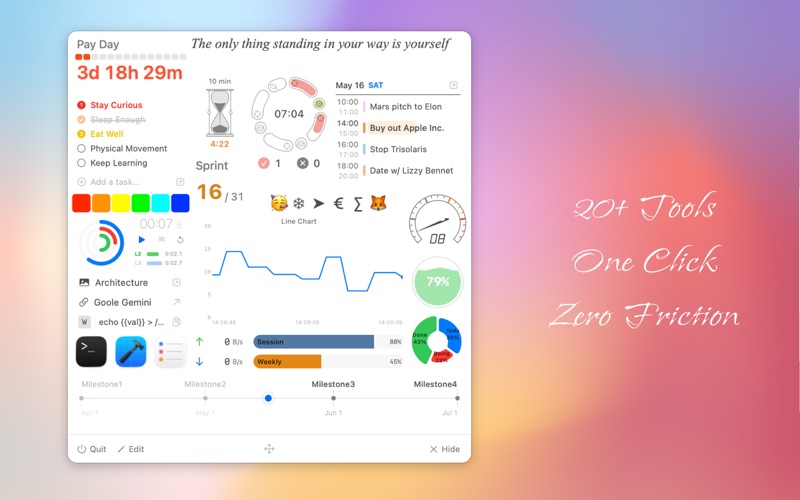
Choose from 26 purpose-built widgets and arrange them on a free-form grid. Resize, reorder, and combine until your panel fits like it was made for you — because it is.
EVERY WIDGET YOU NEED
Pomodoro — Deep work sessions with auto-scheduled breaks and completion tracking
Countdown — Visual deadline timer with urgency indicator that shifts from calm to critical
Stopwatch — Measure task durations with lap chart
Counter — Split-flap scoreboard counter
TODO — Your macOS Reminders, surfaced right in the panel with smart filters
Agenda — Today’s events from Calendar, including ongoing progress and free time slots
App Launcher — Direct access to your most-used apps
Bookmark — One click to your go-to pages, no address bar, no bookmark hunting
File Link — Open files and folders instantly, no Finder detour
Snippet — One-click copy for boilerplate text, with {{variable}} substitution
Emoji Picker — One-tap copy for any emoji or symbol
Color Picker — Copy any color in HEX, RGB, or HSL with a single click
Screen Pin — Pin any region of your screen as a floating overlay; select and copy text via OCR
Color Sampler — Pick any color from anywhere on your screen and copy it instantly
Shortcut Trigger — Trigger any Apple Shortcuts automation with a single tap
Sprint — Agile sprint countdown showing days elapsed and days remaining at a glance
Timeline — Map milestones across a project; a live “today” marker shows exactly where you stand
Note — Pin text to your panel with custom font, color, and alignment — always in view
Scratchpad — Multi-page scratchpad for quick jotting
CPU Monitor — Real-time processor usage with color-coded alerts
Memory Monitor — Real-time RAM usage with capacity and percentage modes
Network Speed — Live upload and download tracking
Line Chart — Visualize time-series data from any local text file, live
Bar Gauge — Visualize any percentage or ratio at a glance
Pie Chart — See distributions update automatically as your data changes
Ring Chart — Concentric ring gauges showing up to 3 values as percentages
FEELS RIGHT AT HOME ON YOUR MAC
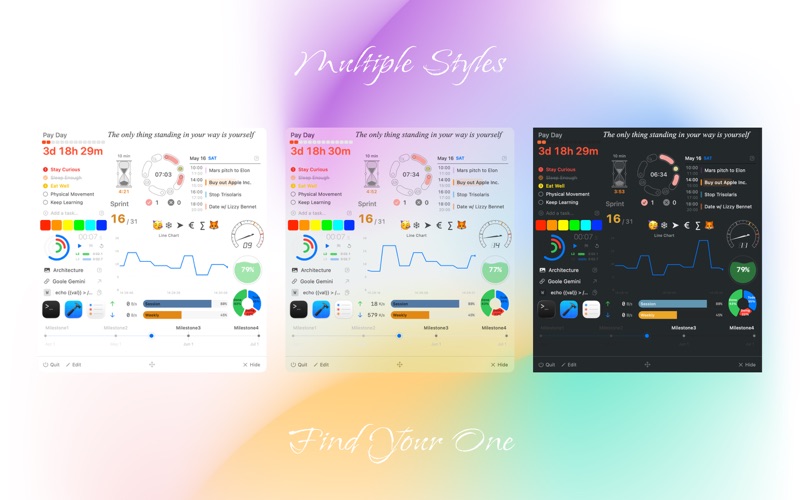
Every detail follows macOS design conventions — customizable panel appearance, system light/dark mode, native typography, and seamless Reminders integration. Assign a global hotkey to summon or dismiss the panel from anywhere — no mouse, no interruption. Your flow stays unbroken.
LIVE DATA CHARTS — ANY SCRIPT, ANY SOURCE (PRO)
Write values to a plain text file from any script, shortcut, or app — Pegboard watches the file and renders beautiful charts instantly. No plugins, no APIs, no extra configuration.
FREE TO START, PRO TO UNLOCK
Use up to 8 widgets for free — no account required. Upgrade to Pro for unlimited widget placements, Pomodoro, and all data chart widgets. Choose a monthly plan or a one-time lifetime purchase.
Terms of Use: https://www.apple.com/legal/internet-services/itunes/dev/stdeula/
Privacy Policy: https://monotools.app/pegboard/privacy
What's New
New widgets • Screen Pin — pin any part of your screen as a floating overlay. Supports text selection via OCR. • Color Sampler — pick any color from anywhere on your screen and instantly copy it in your preferred format. • Scratchpad — multi-page scratchpad for quick jotting. • Counter — split-flap scoreboard counter. • Shortcut Trigger — trigger any Apple Shortcuts automation with a single tap. Live stats in the menu bar • CPU Monitor, Memory Monitor, and Network Speed can now show live stats in the menu bar. Improvements • Note widget is now editable with a single click, right inside the panel. • Pomodoro now shows pause and reset controls on hover. • Bar Gauge now supports a target marker line. • Added a new panel position option: the panel can follow your cursor. Bug fixes • Fixed hourglass animation cutting off before it fully empties. • Improved Timeline label layout for closely-spaced events. • Fixed Agenda time column being cut off in 12-hour clock locales.
Download
No comments yet. Be the first to share your thoughts!
Comments & Reviews