QR Capture
Information
Description
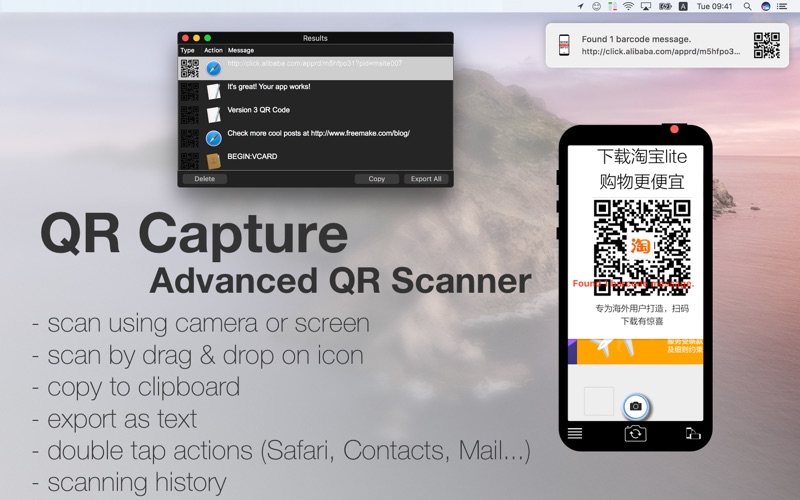
QR Capture: The most simple & easy QR Reader. Capture QR codes like you would do on a phone.
Perfect for computer beginners. Works with iPhone & webcams (EpocCam…) and it natively runs on the new M1 processors.
QR Capture FEATURES
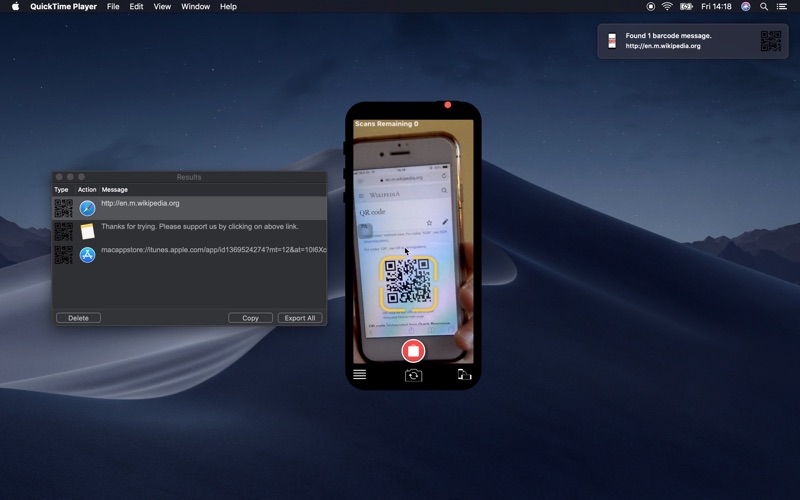
– Code Scanner – scans QR codes (screen or camera*), scans other 2D barcodes (screen only)
– Drag & Drop on the app icon to scan a QR code / barcode
– Scan your clipboard for a QR code / barcode
– Full-screen barcode scanning (File-> Full-Screen scan, App Icon-> Full-Screen scan)
– Export scanned QR codes / barcodes as CSV text
– Automatic copy to clipboard (enabled in preferences )
– Quickly scan a selected area with the keyboard shortcut CMD+1 (also available from the top menu)
– Shortcuts support
– Double click to open in the corresponding app (Safari, Contacts, Mail, TextEdit, FaceTime…)
– Saves all successfully scanned texts in a local database
*(7 codes limit that can be removed using in-app)
QR Capture WEBCAM:
– use your USB-attached webcam /iPhone or phone camera app (EpocCam) to quickly scan QR codes into your computer. Phone camera significantly improves scanning performance.
QR Capture IMPORTANT NOTICE:
– use the button at the bottom of the screen to switch to the iSight camera.
– iSight camera has no autofocus feature. It is necessary to place the QR code at the correct distance so it appears sharp.
– always ensure that your room is bright to improve scanning results. Use additional light sources in semi-dark / poorly lit rooms.
– iPhone as a camera requires macOS 13 Ventura, iOS 16, and iCloud. iPhone as a camera on macOS Monterey/Catalina/Mojave requires 3rd party iOS app such as EpocCam.
Download
No comments yet. Be the first to share your thoughts!
Comments & Reviews