
RocketSim for Xcode Simulator
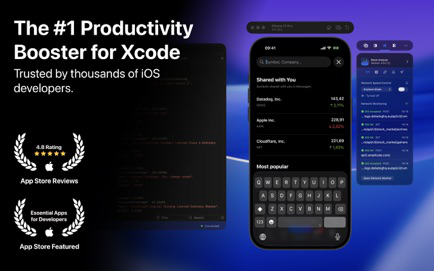
Join thousands of iOS developers who build, test, and debug apps up to 2x faster with RocketSim.
Information


Description
RocketSim Simulator Camera Support
Join thousands of iOS developers who build, test, and debug apps up to 2x faster with RocketSim.
Supercharge your Xcode Simulator with 30+ powerful tools designed to boost productivity, streamline testing, and speed up your workflow.
Key Highlights
• Boost productivity with tools that save hours every week
• Debug faster with network traffic inspection, user defaults editing, and build insights
• Perfect your designs with grids, rulers, and pixel-precise comparison tools
• Test real-world scenarios with location simulation, push notifications, and network speed control
• Create professional recordings and screenshots with device bezels, touches, and audio
Feature Breakdown
Network Speed Control
• Simulate slow networks like 3G or full loss
• Enable Airplane Mode to disable networking just for your app
• Keep your Mac’s connectivity fast and unaffected
Inspect Network Traffic
• Monitor incoming and outgoing requests
• Explore JSON responses, headers, and request details
• Copy requests as cURL commands
• Investigate performance with request metrics
Simulator Camera
• Use your Mac’s camera directly in the Simulator
• Test camera features without switching to a real device
Build Insights
• Track build count and duration over time
• Measure improvements per Xcode version
User Defaults Editor
• View and edit values in real time
• Works with both standard and group defaults
Location Simulation
• Simulate routes or single GPS points
• Change time zones based on location
• Test navigation and travel scenarios
Design Tools
• Grids and rulers for pixel-perfect layout checks
• Measure distances in real device pixels
• Slow animations to fine-tune UI transitions
Compare Designs
• Overlay Figma, Sketch, or Zeplin exports
• Use slider mode to compare design vs. implementation
• Ensure pixel-perfect design fidelity
Magnify for Precision
• Zoom to the pixel level for flawless UI verification
Quick Actions for Builds
• Delete Derived Data globally or per app
• Open common directories instantly
• Manage app permissions like photos and location access
Environment Overrides
• Toggle accessibility settings (Bold Text, Dark Mode, etc.)
• Configure Dynamic Type sizes directly in the Simulator
Deeplinks and Push Notifications
• Test universal links and push notifications instantly
• Auto-detect actions for recent builds
• Launch links from your clipboard
• Share Quick Action groups with your team
Screenshots and Recordings
• Add device bezels for professional results
• Record with touches, audio, and custom backgrounds
• Export-ready for App Store Connect previews
• Trim videos or convert recordings to GIFs
Full Customization
• Access all tools from the status bar
• Configure shortcuts for even faster actions
• Hide floating windows to match your workflow
Trusted by Developers Everywhere
RocketSim is used daily by thousands of developers and over 200 teams — including developers at companies like Meta, Runkeeper, and MacWhisper — to ship apps faster and with higher quality. It fits seamlessly into your existing workflow — whether you’re distributing builds with TestFlight, uploading to App Store Connect, learning in the Apple Developer app, or building with Xcode.
Xcode® is a trademark of Apple Inc., registered in the U.S. and other countries.
Terms of use: https://www.rocketsim.app/terms/
¹ Based on RocketSim Developer Research of 2024
Activation Notes:
- From the store Download and install, start and configure
- revise
/etc/hostsAdd to127.0.0.1 api.revenuecat.com,127.0.0.1 api.rc-backup.com - There is use
代理工具Shielding is also requiredapi.revenuecat.com,api.rc-backup.com- If it has been blocked
hostsOr drop the activation can be selected LuLuor Little Snitchdeter
- If it has been blocked
- run
DMGInside the bagActivation ToolTool activation - If the activation state is invalid, repeat steps 1-4
Download
No comments yet. Be the first to share your thoughts!
Comments & Reviews