
Screegle Clean Screen Sharing
Information



Description
Screegle Clean Screen Sharing: Share only the windows you want, on a clean, distraction-free background.
Screegle helps you create more professional screen shares, presentations, tutorials, and recordings without showing desktop icons, files, or notifications.
Getting started is easy:
– Press ⌘F1 while hovering over any window to add or remove it
– In Zoom, Google Meet, or your favorite meeting app, choose “Screegle Camera” or share the “Screegle Share” window
With, you can:
– Share selected windows live or record them as polished videos
– Present multiple windows together on a clean background
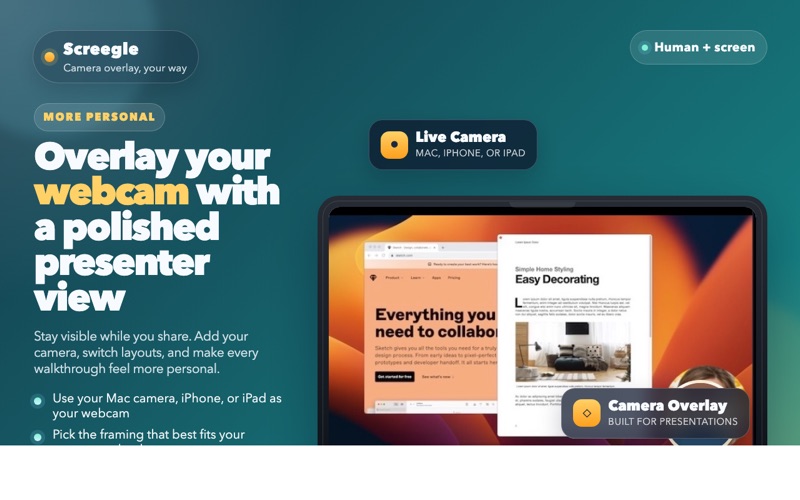
– Add your webcam, including a connected iPhone or iPad, or use a static avatar image
– Add live closed captions while you speak or record
– Edit captions for cleaner, more polished recordings
– Show documents instantly for demos and presentations
– Make any window appear fullscreen in with a double press of ⌘F1
– Use custom wallpaper images and videos
– Use custom avatar images if you prefer not to appear on camera
– Highlight and magnify your cursor, with animated click effects
– Crop sensitive or unwanted areas before sharing
– Record in HD quality
– Take screenshots in one click
– Use Smart Scaling to automatically fit windows beautifully into a 1080p layout
is a simple way to make every screen share look cleaner, clearer, and more professional.
For feedback, ideas, or bug reports, contact Laurent at [email protected]
Download
No comments yet. Be the first to share your thoughts!
Comments & Reviews