SmashTunes for Music & Spotify
Information




Description
SmashTunes is eyeballs on your music and control at your fingertips.
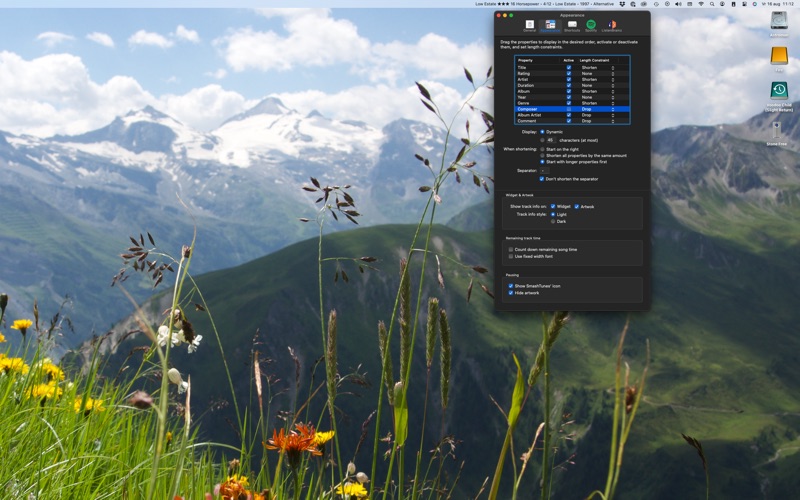
SmashTunes is a very nice menu bar item that lets you control Music, Spotify and Volumio. It displays information about the currently playing song. It comes with a desktop widget to display Artwork.
offers shortcut keys to control Spotify or Music too. These hot keys control both apps system wide. Shortcuts can be configured to add tracks to specific playlists.
For users that want to keep track of their listening history: SmashTunes integrates with ListenBrainz for scrobbling tracks.
Apart from these basic functions there’s a lot more:
– Song information in the menu bar
– Music, Spotify and Volumio control from the menu bar
– Artwork display
– System-wide shortcut key support for all control functions
– Song ratings and love tracks
– Direct playlist selection
– Automatically rate tracks that are loved (and love tracks that are rated)
– Dislike tracks
– Volume control
– Count down of song time
– Add tracks to the library or playlists (if you want through configurable hot keys)
– ListenBrainz scrobbling
You can try SmashTunes for 30 days, after which you have to take a subscription for a year. It’s a small fee to help me cover costs and be able to enjoy a new vinyl record now and then. I helps me enjoy my side project even more.
follows the standard Apple End User License Agreement: https://www.apple.com/legal/internet-services/itunes/dev/stdeula/.
Download
No comments yet. Be the first to share your thoughts!
Comments & Reviews