
Sublime Merge
Information
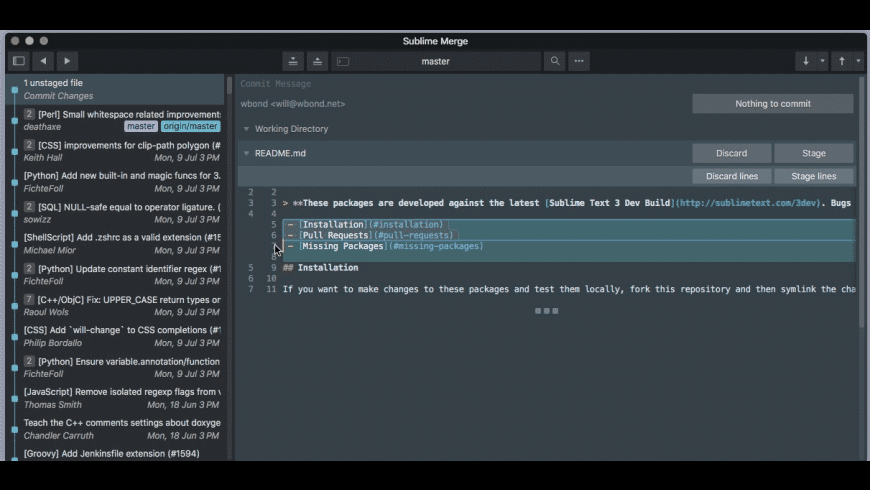
Description
A faster way to work
With a zippy cross-platform GUI toolkit, an unmatched syntax highlighting engine, and a custom high-performance Git reading library, Sublime Merge sets the bar for performance.
Precise and Flexible
Commit exactly what you want with line-by-line and hunk staging. Select one or more lines to split hunks into multiple changes.
Sublime Highlighting
With the power of Sublime Text syntax highlighting, you can understand exactly what’s been changed in a commit. With over 40 supported languages out of the box, and automatic loading of installed third-party syntaxes, we’ve got you covered.
Real Git
When you’re using Sublime Merge, you’re using Git. View the exact Git commands you’re using, and seamlessly transition between the command line and Sublime Merge.
Powerful Search
Looking for a commit? Use find-as-you-type search to find the exact commit you’re looking for.
Your Git Client
Make it yours with an adaptable layout and powerful theming system.
How to use keygen:
01. Mount the DMG
02. Open Keygen.app
03. Watch the demo for a bit if you'd like
04. Select your desired product
05. Enter your name and select the amount of seats
06. Click Generate, then copy the key
07. Click Patch, and select a Sublime app
08. Open the Sublime app and go to Help -> Enter License
09. Paste the generated key and click Use License
10. Profit.
Download software from their official site: Link
Download
No comments yet. Be the first to share your thoughts!
Comments & Reviews