Tap Bot: Auto Click & Refresh
Automating repetitive tasks can save time and effort. It can be used in games or to keep the system active.
Information
Description
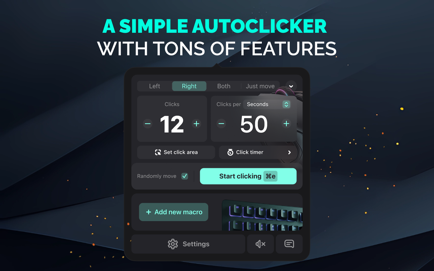
Tap Bot Mac App: Meet a simple and convenient autoclicker with a lot of possibilities.
Tap Bot Automating repetitive tasks can save time and effort. It can be used in games or to keep the system active.
Tap Bot Features:
– Clicks with both right and left mouse buttons;
– Setting up an autoclicker for different key combinations;
– Ability to set the time between clicks in milliseconds (for M1–M3 Macs);
– Start and stop the clicker with a customizable hotkey;
– Disable the clicker by number of clicks or by time;
– Play a sound notification when clicking;
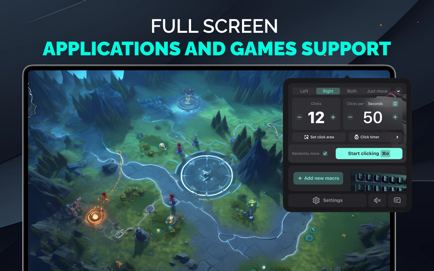
– Support for fullscreen applications and games;
– Delayed start option;
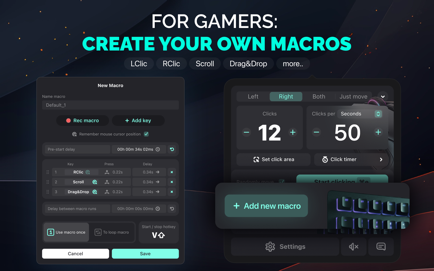
– Ability to assign multiple algorithms to different hotkeys;
– Create and use macros;
– Timer to launch macros at a set time;
– Add random values within custom intervals for clicks;
– Flexible click and timing settings;
– Select the desired location on the screen to click;
– Scroll and Drag & Drop support;
– Mouse movement without clicking — just move, no clicks.
***
Attention!
Please pay your attention that in order for the application to automatically perform clicks and keystrokes at a set time interval in any application or page on your Mac, we need access, which the app will request when the program starts.
Privacy Policy: https://villow.studio/privacy
Term Of Use: https://villow.studio/terms
Download
No comments yet. Be the first to share your thoughts!
Comments & Reviews