
Tunebar
Information

Description
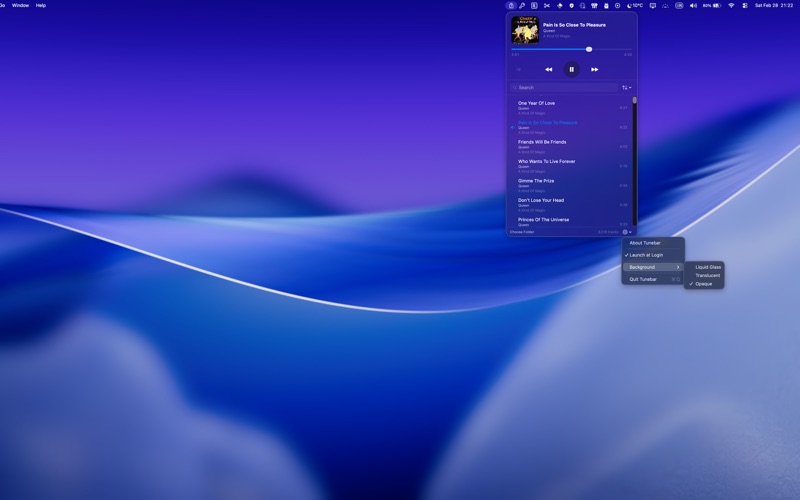
Tunebar: Music Bar lives in your menu bar, ready the moment you need it.
Click, play, get back to work. No accounts. No streaming. No tracking. No ads. Just your music.
Point it at a folder of music files and that’s it. Your library, your files, your rules.
PLAYS WHAT YOU OWN
MP3, FLAC, M4A, WAV, AAC, AIFF, and OGG. No format left behind.
ALWAYS THERE, NEVER IN THE WAY
Lives in your menu bar. One click opens your library. One click closes it. Media keys work exactly as you’d expect. Play,
pause, skip, and scrub from your keyboard or Control Center.
FIND IT FAST
Search your library instantly. Sort by title, artist, album, duration, or folder.
FIX YOUR TAGS
Edit track metadata directly. Title, artist, album, track number, and artwork. Or fetch metadata automatically from
MusicBrainz, complete with cover art.
PRIVATE BY DESIGN
No account required. No data collection. No analytics. No network calls unless you ask for metadata. Everything stays on your
Mac.
Tunebar Music Bar is for people who still own their music and want a simple, fast, distraction-free way to play it.
Download
No comments yet. Be the first to share your thoughts!
Comments & Reviews