Wifi Toolbox Pro
Information



Description
Wifi Toolbox Pro is a Wi-Fi diagnostics app for macOS built for real-world troubleshooting.
Analyze roaming between access points, monitor signal quality over time, inspect channel overlap, and view live connection metrics in dense multi-AP environments.
Whether you are troubleshooting office Wi-Fi, validating coverage in schools and campuses, testing roaming behavior, or optimizing a complex home network, Wifi Toolbox helps you understand what your Mac is actually experiencing.
Wifi Toolbox Pro Key Features
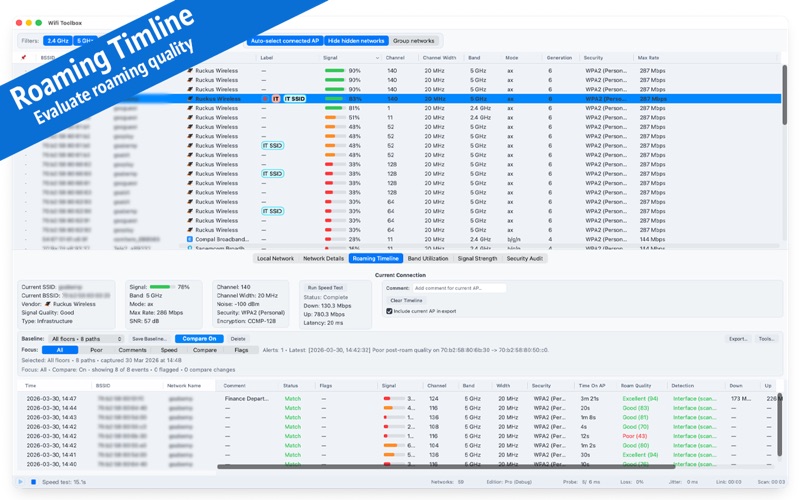
Roaming Timeline
Track when your Mac changes access point and review roaming behavior over time. Useful for identifying sticky clients, delayed handoffs, and poor roam quality while moving through a site.
Wifi Toolbox Pro Devices(IP Scanner)
List Devices on network. Following actions for Devices available; Ping, SSH, Probe common ports, Open http/https, Wake on Lan over Wifi (WoWLAN), Connect to macOS devices with macOS built in Screen Sharing, Connect to Windows devices if Microsoft Windows App is installed, Copy IP, Copy SSH, Copy Mad address, Copy Hostname
Live Wi-Fi Scanner
View nearby networks with detailed information including SSID, BSSID, vendor, signal strength, channel, channel width, band, and PHY mode.
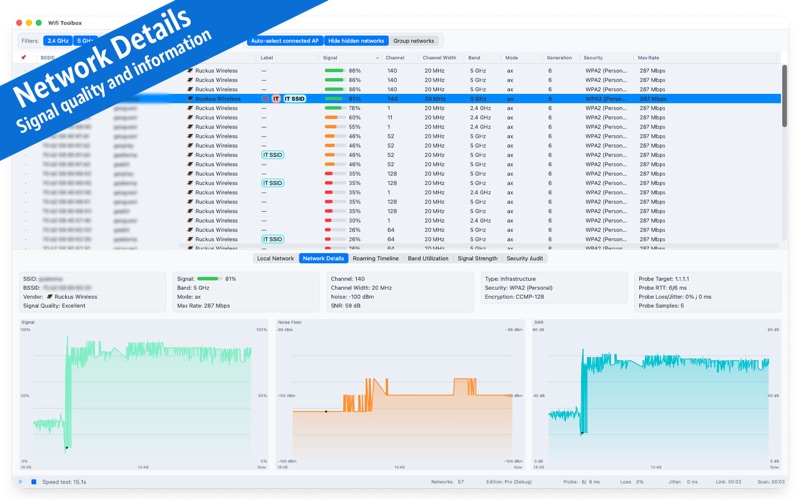
Network Details
Inspect the selected network with metrics such as signal level, noise floor, SNR, security, channel, band, channel width, and estimated max rate.
Signal History
Monitor signal strength trends over time and compare the selected network with neighboring SSIDs.
Band Utilization
Visualize 2.4 GHz and 5 GHz channel usage to spot overlap, congestion, and poor channel planning.
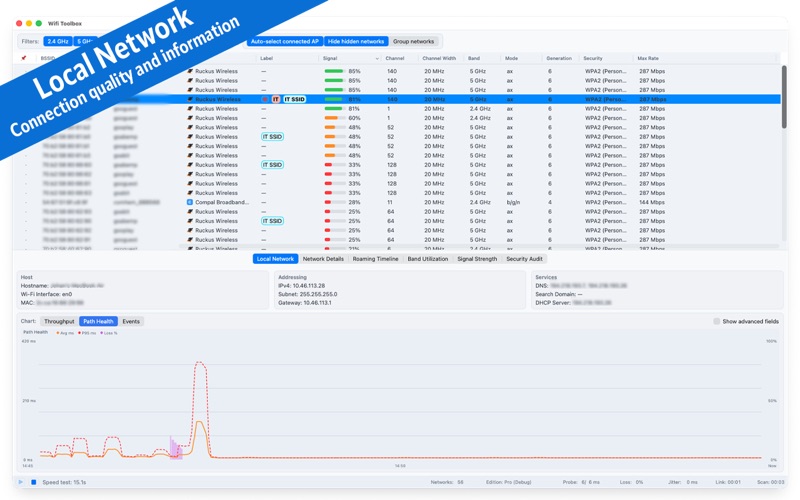
Path Health
Measure connection quality using live metrics such as probe RTT, jitter, and packet loss.
Security Audit
Quickly identify open networks and potentially risky configurations nearby.
Wifi Toolbox Pro CSV Export
Export roaming and measurement data for reporting, documentation, or further analysis.
Built For:
Wi-Fi and WLAN troubleshooting
Dense office and campus environments
Multi-AP and mesh networks
IT administrators and consultants
Field technicians and advanced users
Download
No comments yet. Be the first to share your thoughts!
Comments & Reviews