
Xnip – Screenshot & Annotation
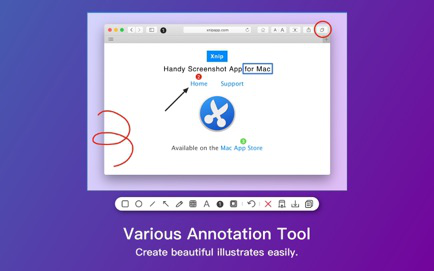
Handy screenshot App for macOS.Xnip has rich image annotation tools. Easy to use.## Scrolling Capture It helps you to capture.
Information

Description
Xnip: Handy screenshot App for macOS.
Has rich image annotation tools. Easy to use.
## Scrolling Capture
It helps you to capture a full-page screenshot even if the content not showing on the current screen.
You can use scrolling capture to capture your source code, article, chat history, etc.
## Window Capturing.
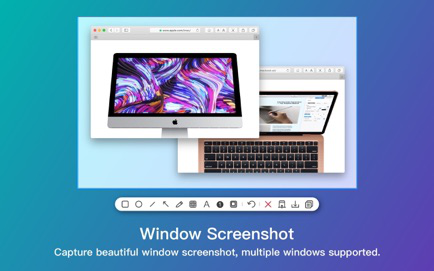
Window capturing with the shadow effect. Furthermore, you can select multiple windows and capture all of them together.
## Color Picker Tool
Pick the color of any pixel on the screen and make pixel-perfect capture.
## Physical Unit
Measure objects by the screen with the physical unit size indicator of selection.
## Pin Images
Pin screenshot or any image on your screen.
## Privacy Protection and Security
is a fully local app with no network access permission, so there’s no need to worry about privacy leaks.
Subscribe Xnip Pro to remove the watermark in the screenshot and gain access to all features in the future update. The subscription will be auto-renew. You can stop auto-renew 1 day before the end of the current period.
——————————
Privacy Policy: http://www.xnipapp.com/privacy
Terms of Use: http://www.xnipapp.com/terms
Notes:
If you encounter no icon or function in the status bar, please proceed/Applications/Xnip.app/Contents/Library/LoginItems/XnipHelper.appRun onceXnipHelper.app
Download
No comments yet. Be the first to share your thoughts!
Comments & Reviews