Owlfiles – File Manager
Owlfiles is a powerful file management app on mobile platforms and desktop platforms. It can access not only files on your macOS.
Information
Description
Owlfiles is a powerful file management app on mobile platforms and desktop platforms.
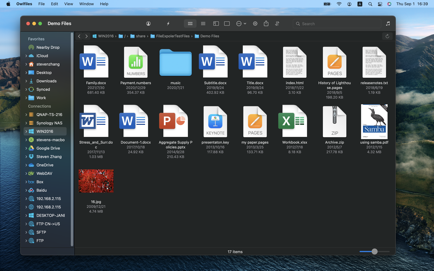
It can access not only files on your macOS, but also files on your server, NAS and cloud. Stream movies and music to your Mac. Directly view and manage documents, photos on your server, NAS and cloud without downloading.
FEATURES:
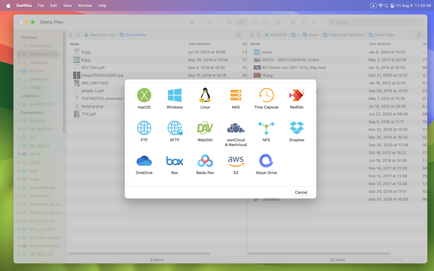
* Access network shares on PC, NAS via SMB protocol.
* Access NFS, WebDAV, FTP and SFTP services.
* Access Google Drive, OneDrive, Dropbox, Box, 115, Amazon S3, S3 Compatible Storages, Mega Cloud.
* Automatically discover servers and NAS when you setup a new connection.
* Stream movies and musics from server/NAS/cloud to your Mac.
* Add folders to favorites.
* Dark Mode
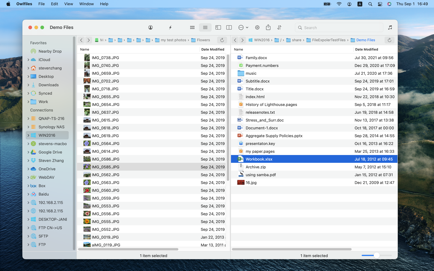
* Dual Panes
File Transfer:
* Copy and move files among NAS, cloud and macOS.
* Transfer files by drag and drop.
* Built-in FTP Server for file transfer.
* Nearby Drop: Directly transfer files between Mac and mobile devices.
Features of Pro
* Create unlimited connections with your computers, NAS and cloud storages.
* Sync connections to all your devices.
* Sync files between macOS and server/NAS/cloud storage.
* Batch rename files.
* Use on your mobile, desktop and TV platforms.
If you purchase Pro, your payment will be charged to your credit card through your iTunes account. Pro subscription: $1.99/month, $12.99/year. Price may vary by location. Your subscription will automatically renew unless canceled at least 24 hours before the end of the current period. After purchase, manage your subscriptions in App Store Account Settings.
Privacy Policy: https://www.skyjos.com/owlfiles/privacy.html
Terms of Use (EULA): https://www.skyjos.com/owlfiles/terms.html
===== CONTACT US =====
Email: [email protected]
Twitter: @SkyjosApps
Facebook: @SkyjosApp
Download
No comments yet. Be the first to share your thoughts!
Comments & Reviews