Calendar Daily Planner: EzyCal
Information

Description
EzyCal calendar is a system of organizing days for social, religious, commercial or administrative purposes.
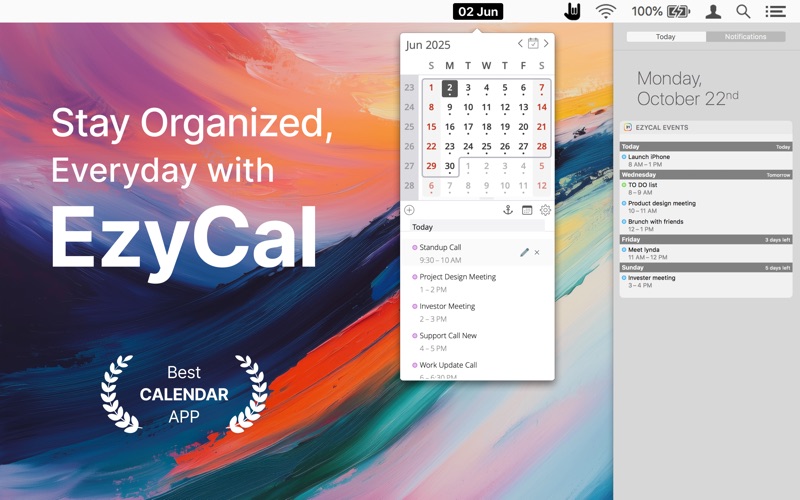
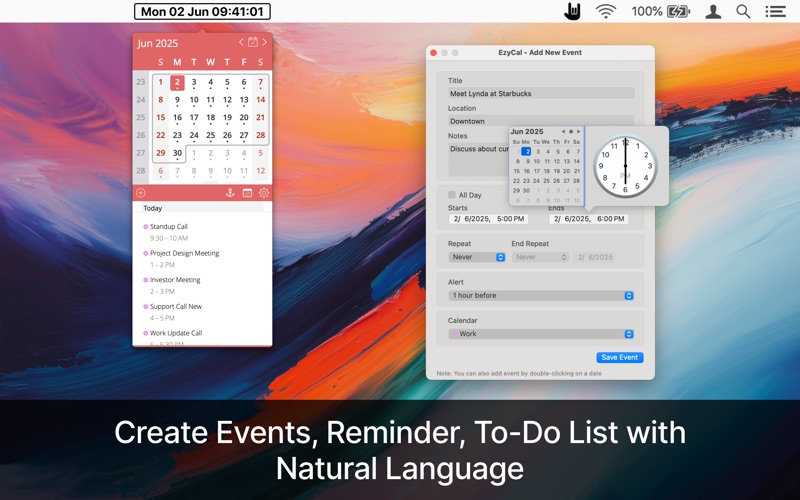
It is a Gregorian calendar with natural language events and reminder creation, beautiful calendar views, and the best reminders app you’ll ever use.
≈ EzyCal Features: ≈
◉ Add events, reminders, and to-do lists.
◉ Countdown to keep you on track.
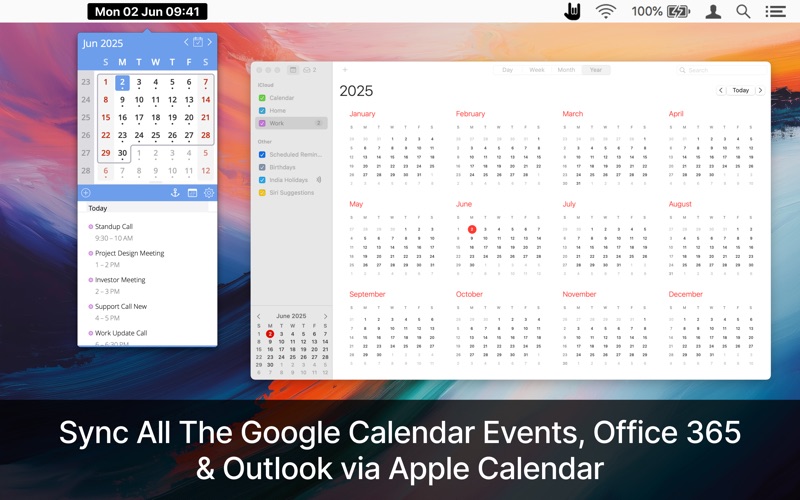
◉ Sync with system calendar events.
◉ Get the list of events in the Today extension.
◉ 24 hours clock with AM & PM.
◉ Calendars in different languages
◉ Different sizes for various screen sizes
◉ Customize keyboard shortcuts as needed.
◉ Sync with all available calendars on your Mac.
◉ Get a list of events in a single display for the next 7 days.
◉ A simple user interface to interact with the calendar.
◉ Different colour themes
◉ Dark Mode support
EzyCal works with MacBook_Air, MacBook Pro, iMac, MacBook, MacPro, Mac-Mini.
≈ App Preferences: ≈
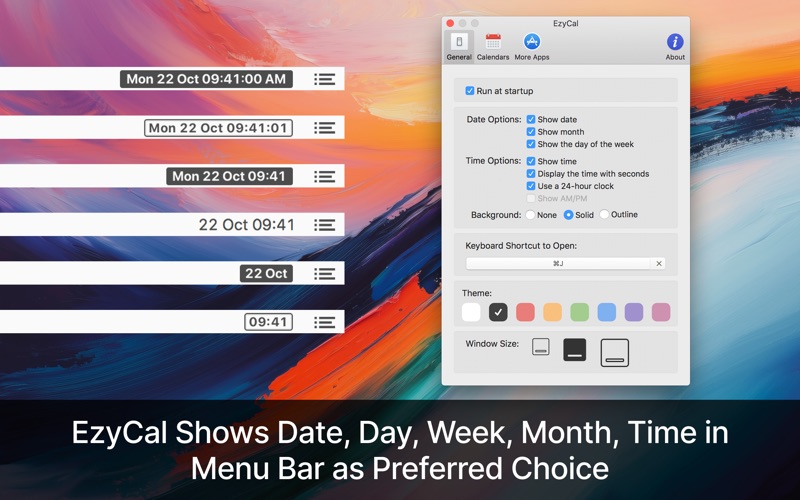
◎ Status Bar Icon: Displays Month, Day, Week, time, customizing it the requirements.
◎ Keyboard Shortcut: Record shortcut as a need to open the Calendar in the status bar.
◎ Theme: Select the theme colour as you like.
◎ Window Size: There are three different sizes of calendar windows to select, as per various screen sizes.
If you have any questions or suggestions, please reach out to [email protected]. We are always working to improve our apps and add useful features requested by our customers!
Download
No comments yet. Be the first to share your thoughts!
Comments & Reviews