Highlight Studio
Information




Description
Highlight Studio: Record your screen, camera, and audio.
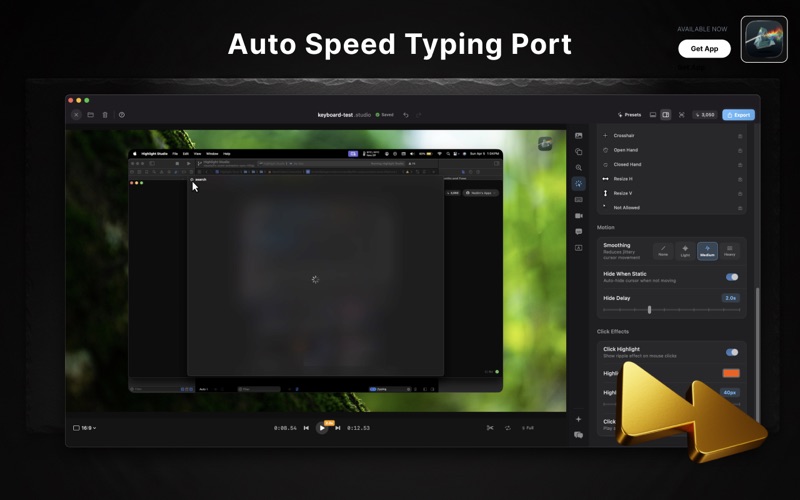
Edit with a multi-track timeline. Add smart zoom, cursor effects, annotations, and subtitles. Export polished videos in minutes.
Highlight Studio RECORD EVERYTHING
• Screen, window, or app recording
• Camera overlay with 7+ layouts and virtual backgrounds
• System audio and microphone capture
• iPhone and iPad recording via USB
• Cursor tracking with click detection
Highlight Studio SMART EDITING
• AI-powered smart zoom follows your clicks automatically
• Multi-track timeline — trim, split, speed ramp (0.25x–2x)
• Freeze frame to emphasize key moments
• Cursor smoothing with 3 intensity levels
• Click highlights and click sounds
Highlight Studio AI TRANSCRIPTION
• Automatic subtitles with word-level timestamps
• 50+ languages supported
• Customizable subtitle styling and positioning
DEVICE FRAMES
• 27+ Apple device mockups — iPhone, iPad
• Pixel-perfect bezels with Dynamic Island and notch
• Real color finishes — Titanium, Space Black, Gold, Starlight
• 12+ gradient backgrounds
BRAND KIT
• Custom logos, colors, and fonts
• Watermarks with position and opacity control
• 6 animated intro/outro templates
• Camera presenter labels
ANNOTATIONS
• Arrows, rectangles, text callouts
• Blur masks for sensitive content
• Highlight boxes for emphasis
EXPORT & SHARE
• MP4 and GIF export
• Up to 4K and source quality
• Platform presets — YouTube, X, Instagram, LinkedIn, Discord
• Shareable embed links for GIFs
BUILT FOR PERFORMANCE
• Metal GPU rendering — 60fps output
• Under 2% CPU during recording
• Hardware-accelerated export via VideoToolbox
• Under 100MB app size
Our app uses standard EULA terms and conditions read more at https://highlightstudio.app/terms
Download
No comments yet. Be the first to share your thoughts!
Comments & Reviews