Lockish
Information
Description
Lock any app with Touch ID
Protect your sensitive apps with biometric authentication. Banking, messages, email—all secured with a single touch.
Touch ID Protection
Lock any app with Touch ID
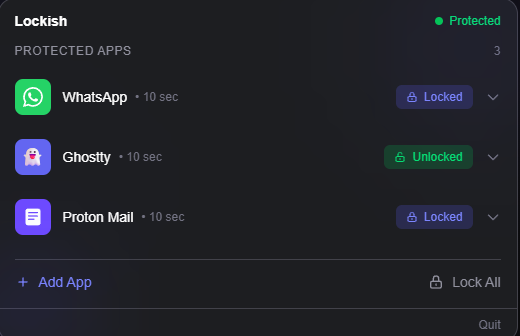
Add an app to Lockish and it’s instantly protected. Next time you open it, Touch ID confirms it’s you before granting access.
Auto-Lock
Walk away and it locks itself
Set per-app idle timeouts. Step away from your Mac and protected apps automatically minimise and re-lock. No action needed.
App-Only Locking
Keep working while apps stay locked
Unlike other app lockers, Lockish only locks the specific app window. Everything else stays fully accessible — no full-screen overlays.
Security that stays out of your way
Powerful protection with a minimal footprint.
Touch ID & Password
Unlock with Touch ID for instant access, or use your Mac password on devices without biometrics.
Auto-Lock on Idle
Set per-app idle timeouts. When the timer runs out, the app is instantly minimized and locked—no one can see what was on screen.
Sleep & Lock Protection
All protected apps automatically re-lock when your Mac sleeps or the screen locks. Always secure when you walk away.
Protect Unlimited Apps
Lock as many apps as you want. Each app has independent unlock state and idle timer settings.
Quit Protection
Lockish itself requires Touch ID to quit. No one can bypass your protection by simply closing the app.
No Screen Recording
Unlike competitors, Lockish doesn’t need Screen Recording permission. Your privacy stays intact.
Notes:
To Activate go to settings and type anything into License field and press Activate.
If app won't open try Sentinel or resign.
Any other problems please comment/report.
Download
No comments yet. Be the first to share your thoughts!
Comments & Reviews