ScreenCam: Screen Studio
Information



Description
ScreenCam is a native macOS screen recorder built for clean capture and precise post-production editing.
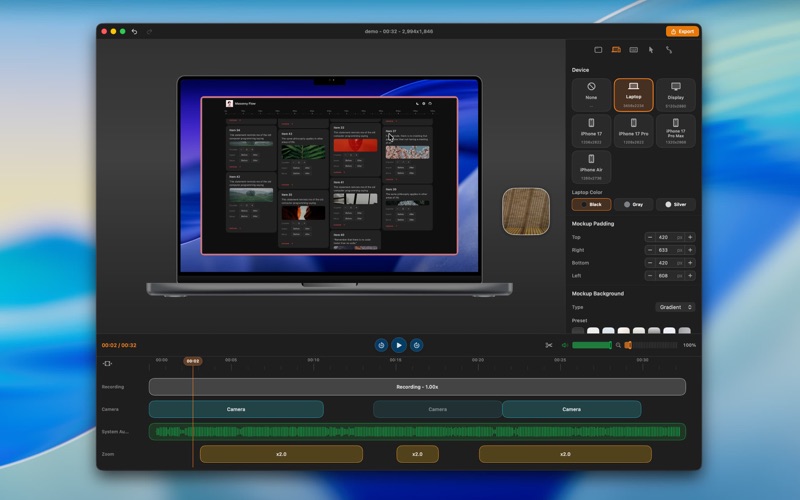
Record your screen, a window, or a selected area, then refine the result in a focused editor. Adjust framing, camera movement, cursor presentation, background, timing, and audio before exporting the final video.
ScreenCam is designed for product demos, tutorials, launch videos, bug reports, internal walkthroughs, and polished social clips.
Key features:
• Native macOS screen recording
• Screen, window, and area capture
• Optional microphone, system audio, and camera recording
• Post-recording editor for framing and presentation
• Camera movement and zoom controls
• Cursor visibility and styling controls
• Background and wallpaper options
• Preview-accurate export workflow
• Local-first processing on your Mac
ScreenCam Pro unlocks video export and the full editing workflow. Pro is available as an auto-renewable subscription through the Mac App Store, with monthly and yearly plans.
Recordings and exported videos are processed locally on your Mac. ScreenCam does not require an account.
Terms of Use (EULA): https://thescreen.cam/terms
Privacy Policy: https://thescreen.cam/privacy
Download
No comments yet. Be the first to share your thoughts!
Comments & Reviews