
Verso Writer
Information






Description
Verso Writer is a native Mac word processor.
Verso Writer Free 7-day trial with full editing. $14.99 one-time unlock. No subscription, no account required.
Opens and saves .docx and Markdown. Launches in under a second.
Works with Microsoft Word, Google Docs, LibreOffice, and GitHub. No conversion headaches, no lost formatting.
Writes in your language. Verso ships with full interface translations in Deutsch, Français, Español, Português (Brasil), Italiano, Nederlands, Polski, Svenska, Русский, Türkçe, 简体中文, 繁體中文, 日本語, 한국어, and العربية.
Verso Writer WHY YOU WILL LOVE VERSO
Fast. No loading screens. Click the icon, start writing.
Beautiful. Clean toolbar, elegant page layout, typography that makes your words look good before you even start formatting. The toolbar fades while you type and returns when you need it.
Focus Mode. The window reshapes around your page. Text you are not actively writing dims to a whisper. Only the sentence you are working on stays fully visible. Press Esc to come back.
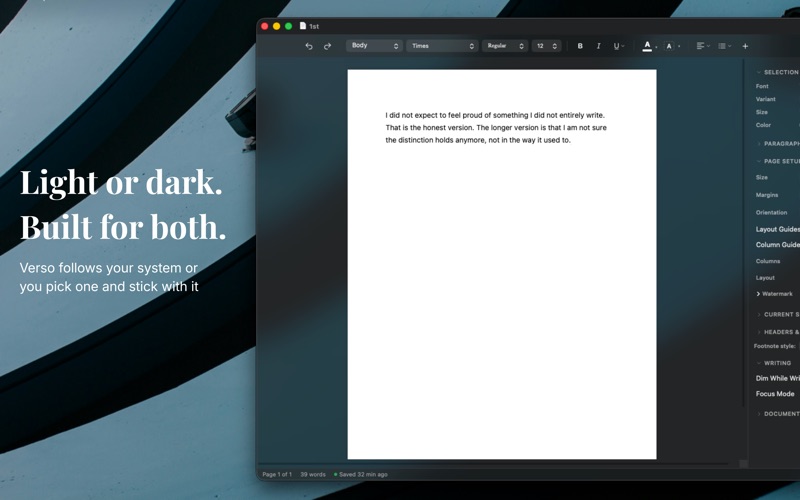
Page appearances. Light, Off-white, Sepia, or Dark. Sepia for long sessions, Dark for night writing, Auto follows your macOS setting. Press Cmd+Shift+L to cycle.
Everything you need. Bold, italic, headings, tables, images, footnotes, lists, page breaks, section breaks, columns, headers, footers, find and replace, word count, comments, table of contents.
Markdown round-trip. Open a .md file as rich text, edit visually, save back with structure preserved. Syntax-highlighted code blocks included.
Tables that behave. Insert, style with presets, add or remove rows and columns, toggle borders.
Images drop right in. Click to select, drag to resize.
Citations and references. Import BibTeX, browse and search your library, insert with a click. Formatted bibliographies in APA, MLA, Chicago, Harvard, IEEE, or Vancouver.
Built by one developer. Native SwiftUI and AppKit. No Electron, no web views, no cloud. 7 MB, launches in under a second. Requires macOS 14 or later.
Download
No comments yet. Be the first to share your thoughts!
Comments & Reviews