
Navicat Premium 18
Information



Description
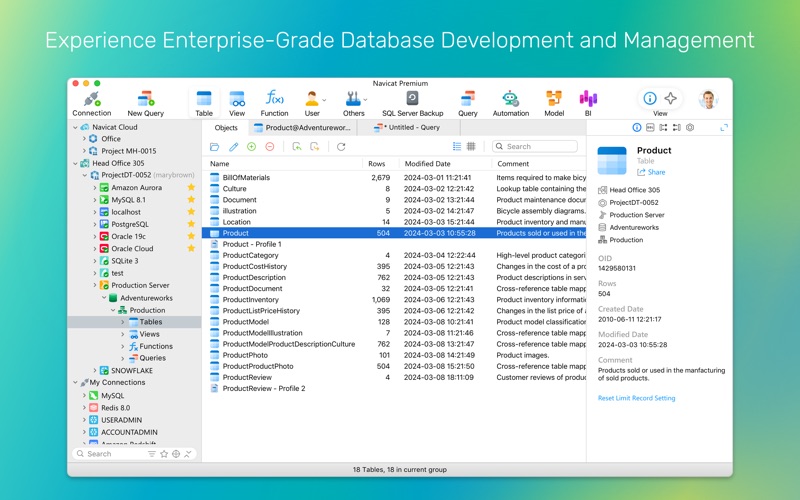
Navicat Premium 18 is the ultimate, robust solution for database development and management.
Connect seamlessly to MySQL, PostgreSQL, MongoDB, MariaDB, SQL Server, Oracle, SQLite, Redis, and Snowflake all from a single, native application. Maximize your productivity with an all-in-one experience for complex queries, database design, data migration, and advanced analytics.
Navicat Premium 18 Data Editing & Entry
– Fill with AI: Populate missing gaps with realistic data, or use simple prompts to categorize text, catch mistakes, and summarize blocks directly inside your grid.
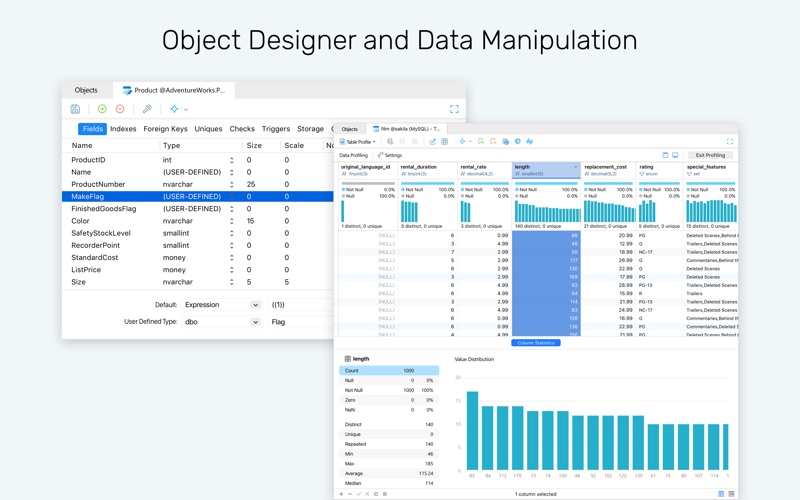
– Data Profiling: Analyze data health, distribution metrics, and quality indicators via intuitive visual charts.
– View Modes: View, update, and manage records in Grid View, Form View, Tree View, or JSON View.
Navicat Premium 18 Query Editing & Code Insight
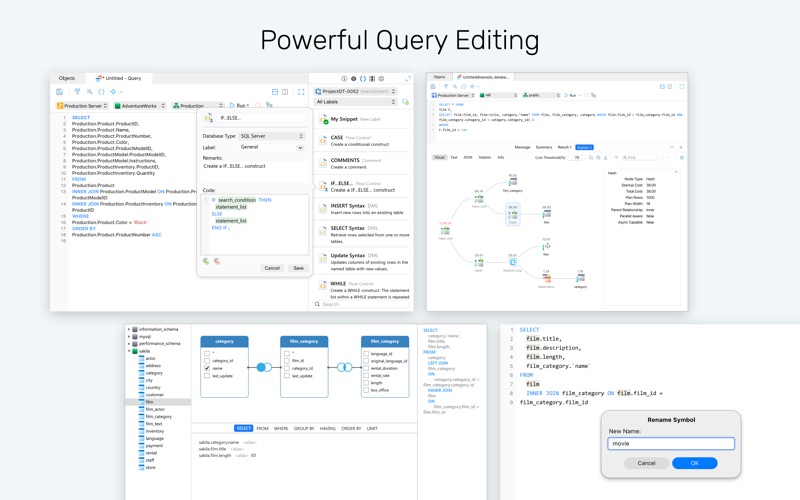
– Refactoring: Rename symbols, aliases, and identifiers uniformly across scripts.
– Code Completion & Execution Plans: Speed up coding with snippets and auto-complete, and optimize logic by visualizing execution plans.
– Catch Mistakes Live: Catch syntax flaws and invalid schema objects as you type.
– Code Tracing: Hover over items for instant metadata, trace usages, and jump directly to object declarations.
AI Assistant
– AI Chat: Open multiple chat rooms, attach your database structures for precise query writing, and compare answers from leading AI models to choose the best response.
– Ask AI (Table Design): Build entire tables from plain text descriptions with automated columns and data types.
– Ask AI (Query Editing): Explain, optimize, tune, and convert SQL queries with instant side-by-side comparisons.
– Fix with AI: Diagnose and fix syntax mistakes from simple typos to complex logical bugs.
Visual Modeling & Data Architecture
– Multi-Method Workspace: Build visual database models using Relational, Dimensional, or Data Vault 2.0 frameworks.
– Hybrid Integrity: Manage logical entities and physical constraints together to align designs with live databases.
– AI-Assisted Modeling: Accelerate schema creation and structural reviews directly inside the workspace using Ask AI.
– Naming Standards & Glossary: Enforce naming conventions with custom casing and prefixes using a centralized team glossary.
– Data Dictionaries: Generate documentation using custom templates with automated PDF exports.
BI & Analytics
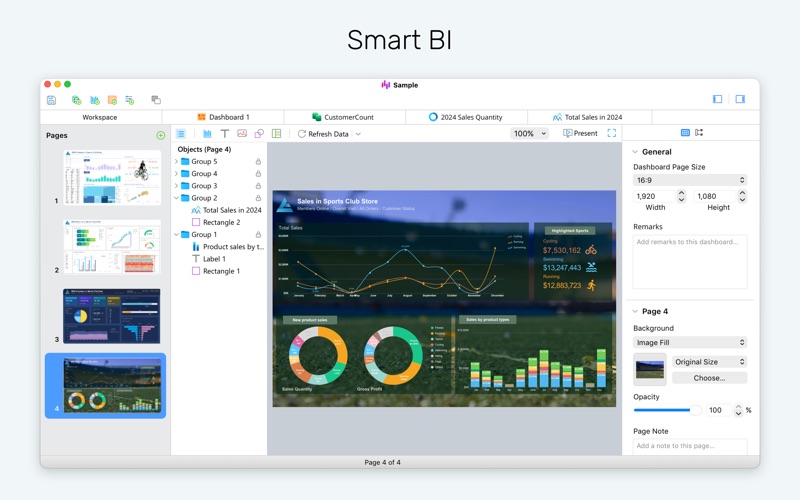
– Live Dashboards: Turn raw metrics into pixel-perfect dashboards and interactive, real-time charts.
– Cross-Filtering: Explore complex relationships using interconnected charts that cross-filter and update each other in real time.
Migration & Integration
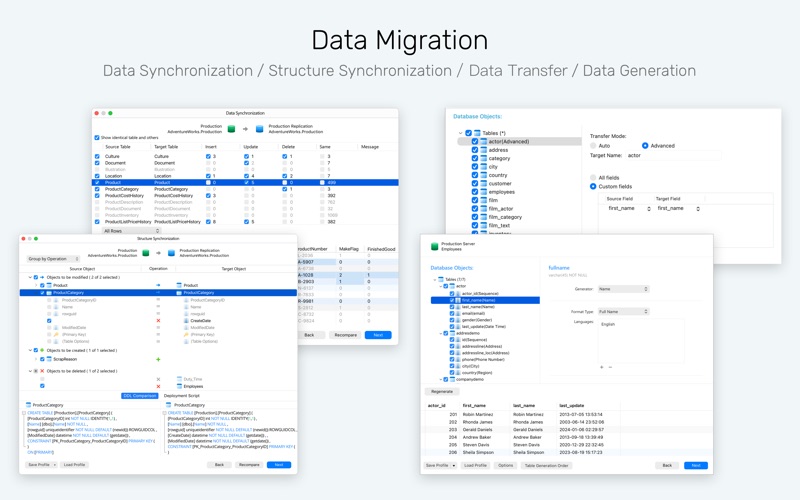
– Data Transfer: Move data across different database engines and file formats.
– Smart Synchronization: Compare and align differences in schemas and table records across environments with guided workflows.
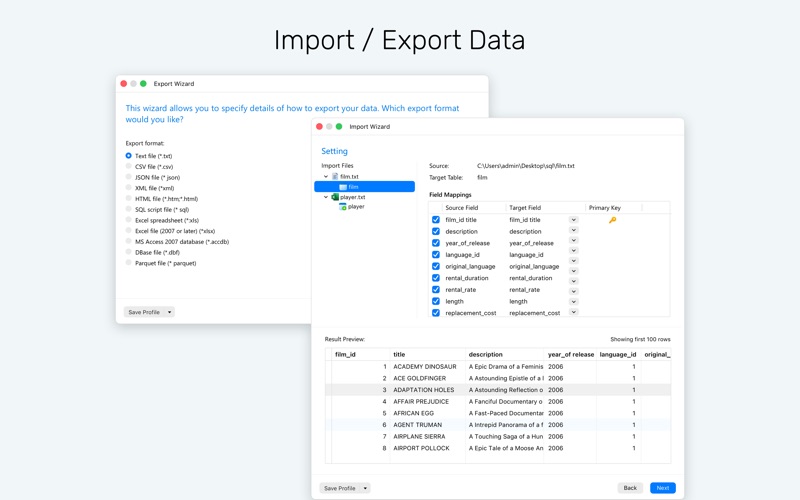
– Import/Export: Support for various formats like ODBC, Excel, Access, CSV, and Parquet files.
Navicat Premium 18 Data Generation & Masking
– Data Generation: Create large volumes of realistic test datasets based on customizable field rules and foreign key integrity.
– Data Masking: Protect sensitive production records across dev and QA environments using flexible obfuscation algorithms like substitution, hashing, and shuffling.
Navicat Premium 18 Real-Time Collaboration
Unify team workflows with real-time file sharing via Navicat Cloud or self-hosted Navicat On-Prem Server. Sync connection settings, queries, aggregation pipelines, snippets, model/BI workspaces, virtual group information, and your personal preferences across every device.
Navicat Premium 18 Other useful features:
– Navicat URI
– ER diagram view
– Text, hex, image, web or BFile viewer and editor
– PL/SQL & PL/PGSQL Debugger
– Aggregation pipeline
– Schema analysis
– Pub/Sub
– Backup and restore
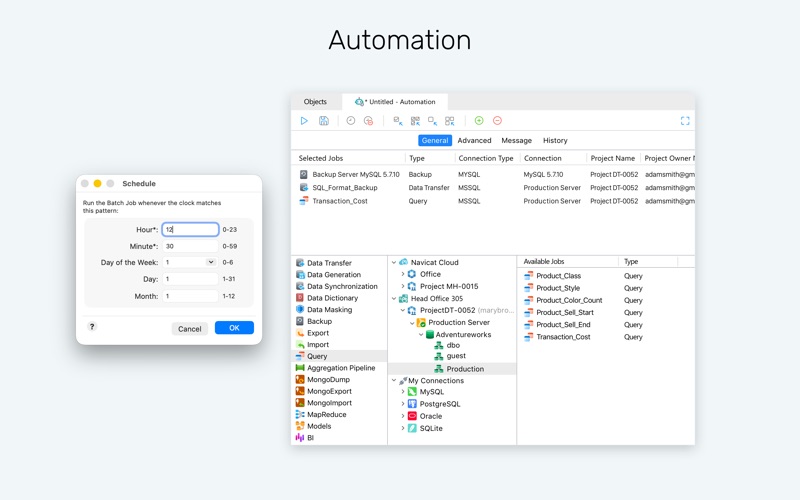
– Automation
Note: Try Navicat free for 14 days with full app access. Your trial will automatically convert to a paid subscription unless canceled 24 hours before it ends.
Terms of Use: https://www.navicat.com/manual/online_manual/en/navicat_18/mac_manual/#/license_agree
What's New
AI Integration in Table Designer & Data Editor - Fill with AI : Update, generate, or summarize column data directly within the grid. - Ask AI : Construct entire schema structures using natural language prompts. - Fill Comment with AI : Generate table summary based on field definitions. Code Insight in Query Editing - Refactoring : Rename symbols, aliases, and identifiers uniformly across scripts. - Hover Info : Quick-access metadata previews when hovering over SQL elements. - Real-Time Error Detection : Real-time syntax flaw and invalid schema object detection. - Highlight Usages : One-click symbol usage tracing within the editor. - Go to Declaration : Direct navigation to underlying object definitions. Data Masking - Secure sensitive production records and generate test datasets - Support Masking Technique - Substitution, Variance, Shuffling, Hashing, and Nulling. Data Modeling - Hybrid Model : Bridge logical entities and physical structures within a single model. - Naming Standards & Glossary : Support centralized glossaries and standardized naming rules across schemas. - Bulk Editor : View and edit fields across multiple tables simultaneously. - Import SQL to Model : Generate data models directly from SQL scripts. - Diagram Add-ons : Move Fields Between Tables, Create New Table & Alignment Guide. Interactive BI - Auto Tile Layer : Automatic dynamic chart alignment and resizing for dashboard layouts. - Parameters : Dynamic workspace-wide parameters for cross-visual data filtering. - Dashboard Add-ons : Auto Refresh, Page Navigation links & Alignment Guide. Usability & Workspace Improvements - Reimagined Import Wizard : Redesigned into a single-step workflow with live preview panes. - Parquet Support : Native support for importing Apache Parquet files. - Batch Editing : Batch record modifications with a manual Apply/Discard bar. - Session History : Track and audit for SQL queries executed during data editing sessions. - Side-panel Record Navigation : Quick-jump navigation panel in Form View. - Personal Profile Sync : Synchronize connection profiles, table preferences, starred settings, and coloring info across Navicat Cloud and Navicat On-Prem Server. - And More.
Download
No comments yet. Be the first to share your thoughts!
Comments & Reviews